How to Automate Email Management Using AI
How to Automate Email Management Using AI
The average professional spends over two hours every day on email. That is more than 500 hours per year — roughly 12 full working weeks — spent reading, sorting, replying to, and managing messages. For most people, inbox management has become one of the single largest drains on productive work time, and the problem compounds as careers advance and communication volume increases.
AI-powered email management is not a marginal improvement on the old way of handling your inbox. It is a fundamental rethinking of how email works in your professional life. The right combination of tools, automations, and habits can compress two hours of daily email work into 30 focused minutes while actually improving your response quality and communication effectiveness.
This guide gives you a practical, actionable system for automating email management using AI from the ground up.
Why Email Overload Is a Productivity Crisis
Before solving the problem, it helps to understand exactly what makes email so consuming for most professionals.
The core issue is not volume alone. It is the combination of volume, context-switching cost, and decision fatigue that makes inbox management so exhausting. Every email requires a micro-decision: read now or later, reply immediately or defer, action required or archive. Multiply that by 100 to 200 emails per day and the cognitive load becomes genuinely debilitating.
Traditional solutions — inbox zero methodologies, folder systems, filters — reduce friction but do not address the fundamental problem. AI addresses it differently by taking over the classification, drafting, and routing work that consumes most of the time and cognitive energy, leaving you to handle only what genuinely requires your judgment.
How to Automate Email Management Using AI: The Core Approach
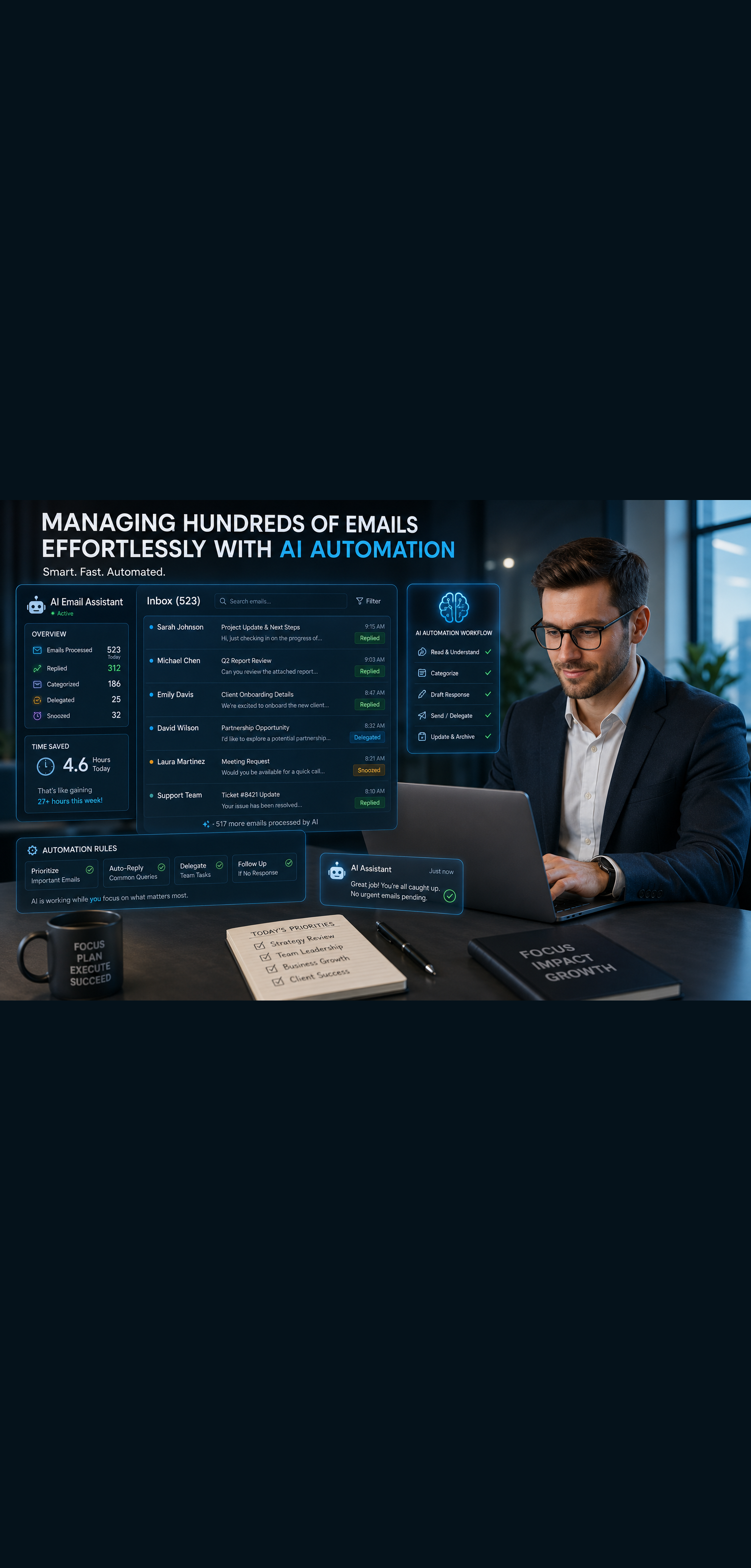
Effective AI email management works on three levels simultaneously: triage and prioritization, response drafting, and workflow automation. A complete system addresses all three.
Level 1: AI-Powered Triage and Prioritization
The first job of an AI email system is to tell you what actually matters before you open your inbox. Rather than processing emails in chronological order — which forces you to give equal initial attention to a newsletter and a message from your most important client — AI triage surfaces what requires your attention and handles or categorizes everything else.
Modern AI email tools analyze sender relationships, message content, historical patterns, and context to classify incoming email automatically. Messages from your most frequent contacts get prioritized. Action-required messages are flagged. Newsletters, promotional emails, and low-priority notifications are routed away from your primary view without manual filter setup.
The result is that when you open your inbox, you see the five emails that actually need your attention today, not 80 emails in reverse chronological order.
Level 2: AI Draft Generation
Drafting replies is where most email time goes. AI dramatically compresses this by generating context-aware draft responses that you review, edit if needed, and send — rather than composing from scratch.
Modern AI email assistants read the incoming message, understand the context and what response is needed, and generate a draft that matches your communication style and the appropriate tone for the relationship. A supplier invoice query gets a clear, professional response. A client update request gets a comprehensive reply drawing on project context. A meeting request gets a scheduling response with your availability.
Your job shifts from writer to editor. That shift alone cuts response time by 60 to 80 percent for routine communications.
Level 3: Workflow Automation
Beyond triage and drafting, AI enables deeper workflow automation that removes entire categories of email tasks from your plate permanently.
Follow-up reminders, meeting scheduling back-and-forth, subscription management, thread summarization, and routing messages to team members or tools based on content can all be handled automatically. Once configured, these automations run in the background without your involvement.
The Best AI Email Tools in 2026
Several strong tools address different aspects of AI email management. Here is what the current landscape looks like and which tools to consider based on your setup.
Microsoft Copilot for Outlook
If your organization uses Microsoft 365, Copilot for Outlook is the most seamlessly integrated AI email option available. It works directly inside your existing Outlook interface without any additional setup or workflow change.
Key capabilities include email summarization for long threads, draft generation based on brief prompts, coaching suggestions to improve tone and clarity, and meeting scheduling assistance. Copilot can summarize a 40-message thread into a three-sentence brief before you decide whether to engage, which alone saves significant time on complex email chains.
For enterprise users, Copilot's integration with Teams, SharePoint, and other Microsoft 365 tools means AI context flows across your entire work environment, not just your inbox.
Google Gemini for Gmail
For Gmail users, Google Gemini offers comparable capabilities integrated natively into the Gmail interface. Smart Reply has been part of Gmail for years, but Gemini takes this substantially further with full draft generation, thread summarization, and contextual response suggestions that draw on your Google Workspace history.
Gemini can draft a complete reply to a complex client email based on a brief voice note or a few typed bullet points describing what you want to communicate. The drafts draw on context from your previous emails with that contact, producing responses that feel appropriately personalized rather than generic.
Superhuman
Superhuman is a dedicated premium email client built entirely around speed and AI-assisted workflow. It works with Gmail and Outlook and is particularly popular with executives, founders, and high-volume email users who are willing to pay for a significantly faster experience.
AI triage in Superhuman learns your priorities over time and surfaces the emails that need your attention while collapsing everything else. The keyboard-first interface combined with AI drafting means experienced users can process their inbox at genuinely remarkable speed. The premium pricing reflects the premium positioning — it is designed for professionals for whom inbox efficiency has direct revenue implications.
SaneBox
SaneBox is not a full AI email client but a powerful addition to your existing email setup that handles intelligent triage across Gmail, Outlook, Apple Mail, and most other email platforms. It analyzes your email behavior patterns and automatically sorts incoming mail into folders based on importance — your main inbox, a SaneLater folder for lower-priority items, and custom folders for newsletters, receipts, and other categories.
The setup is minimal and the results are immediate. Many professionals find SaneBox dramatically reduces inbox overwhelm without requiring them to change their email client or learn new habits.
ChatGPT and Claude for Email Drafting
For professionals who prefer to keep their existing email setup and add AI drafting capability on top, ChatGPT and Claude are powerful tools for composing complex, sensitive, or high-stakes emails.
The workflow is simple: describe what you need to communicate, include any relevant context, specify the tone and relationship, and ask AI to draft the email. Review the draft, make any adjustments, and send. For emails where getting the wording exactly right matters — difficult client conversations, salary negotiations, executive communications, conflict resolution — this approach consistently produces better results than composing from scratch while also being significantly faster.
Setting Up Your AI Email System: Step by Step
Step 1: Audit Your Current Email Patterns
Before configuring any AI tools, spend 15 minutes analyzing your inbox patterns. Answer these questions:
- What percentage of your daily email is genuinely action-required versus informational or promotional?
- Which senders consistently send messages that require your immediate attention?
- What types of emails consume the most response time?
- Which recurring email tasks could be handled by templates or automation?
This audit tells you where AI will create the most value for your specific situation and helps you configure tools effectively rather than using default settings.
Step 2: Implement AI Triage First
Start with the triage layer before adding drafting or automation. Getting your inbox filtered and prioritized correctly is the foundation everything else builds on.
If you use Gmail or Outlook, activate the AI triage features built into Gemini or Copilot and spend a week providing feedback — marking correctly prioritized messages and correcting misprioritizations — to train the system on your specific patterns.
If you want stronger triage across any email platform, add SaneBox. Configure its folder structure to match your workflow and let it learn your patterns over the first two weeks before making judgment calls about its accuracy.
Step 3: Build Your AI Drafting Workflow
Once triage is working, add AI drafting to your routine. The key is making this workflow frictionless enough that you actually use it consistently.
For native tool users with Copilot or Gemini, experiment with draft generation for your most common reply types first. As you see the quality of drafts improve, expand to more complex responses.
For ChatGPT or Claude users, build a simple prompt template you can fill quickly:
"Draft a professional reply to this email: [paste email]. My response should: [key points to address]. Tone: [professional/warm/direct]. Relationship context: [brief context if needed]."
Save this template somewhere accessible so drafting assistance takes seconds to initiate rather than requiring you to reconstruct the prompt each time.
Step 4: Create Your Automation Rules
With triage and drafting in place, build the automation layer that removes entire categories of email tasks permanently.
Meeting scheduling: Use Calendly, Cal.com, or Microsoft Bookings to handle meeting scheduling entirely through a booking link. Configure your availability once and route all scheduling requests to the link. This eliminates the back-and-forth email exchange that scheduling currently requires.
Follow-up reminders: Configure your email client or a tool like Boomerang to automatically resurface emails that have not received a response after a defined period. Never manually track follow-ups again.
Subscription management: Use tools like Unroll.me or your email client's built-in unsubscribe features to batch-process newsletter and promotional subscriptions. Reduce incoming volume at the source rather than just filtering it after arrival.
Template responses: Build a library of AI-assisted templates for your most common email types — meeting confirmation, project status update, information request acknowledgment, decline response. Most email clients support saved templates or canned responses that can be deployed with minimal editing.
Zapier or Make automations: For more sophisticated routing needs — forwarding specific types of emails to project management tools, logging client emails to your CRM, creating tasks from action-required emails — connect your email to your other tools through Zapier or Make workflows.
Step 5: Establish Your Email Processing Routine
The best AI email system in the world delivers limited results if you process email reactively all day. The automation handles volume; your routine determines focus.
Define two or three specific email processing windows in your day — 30 minutes in the morning, 20 minutes after lunch, 15 minutes before end of day, for example. Outside those windows, close your email client or silence notifications entirely.
This scheduled approach combined with AI triage means you are no longer responding to the urgency of your inbox. You are processing email on your terms, confident that AI is handling the triage and that genuinely urgent items will be surfaced when you do engage.
Advanced AI Email Strategies for High-Volume Professionals
For executives, founders, sales professionals, and anyone managing extremely high email volume, these advanced strategies push AI email management further.
Train AI on Your Communication Style
The more your AI email tools understand your specific voice and communication preferences, the better the drafts they produce. Actively provide feedback on draft quality. In tools like Superhuman, rate draft suggestions. In ChatGPT or Claude, share examples of your best emails and ask the AI to analyze and apply your communication style in future drafts.
Over time, this investment in training produces drafts that require progressively less editing before sending.
Implement a Tiered Response System
Not every email deserves the same response quality or speed. Define tiers explicitly:
- Tier 1 — Key clients, executives, critical relationships: respond within four hours, draft carefully, review thoroughly
- Tier 2 — Regular contacts, routine business: respond within 24 hours, AI draft with light review
- Tier 3 — Low-priority, informational, newsletters: respond when convenient or not at all, AI handles or archives
Your AI triage should map to these tiers. Configure your priority indicators accordingly.
Use AI for Email Analysis and Insights
Beyond processing individual emails, AI can analyze your email patterns to surface useful insights. Which relationships are going quiet? Which projects generate the most back-and-forth communication overhead? Which types of messages take the longest to resolve?
ChatGPT and Claude can analyze exported email data or summaries to surface patterns you would never notice processing email message by message. These insights can prompt workflow improvements, relationship investments, or process changes that reduce email volume at the source.
Delegate with AI Assistance
For professionals with executive assistants or team members who manage email on their behalf, AI dramatically improves the quality and efficiency of that delegation. Use AI to draft clear delegation instructions, create decision trees for common email scenarios, and build response templates your delegate can use confidently.
The result is delegation that actually works — where your delegate handles more independently rather than escalating decisions back to you constantly.
Common Mistakes to Avoid
Even with the right tools, these mistakes will undermine your AI email management system.
Keeping email open all day. AI triage only reduces your cognitive load if you are not checking email constantly. Schedule your processing windows and protect them.
Not reviewing AI drafts carefully. AI email drafts require your review before sending, especially in sensitive or high-stakes communications. A missed nuance or inappropriate tone in an important email costs far more than the time you saved on drafting.
Over-automating without testing. Build your automation rules incrementally and monitor their behavior carefully before expanding. An automation that routes important emails to the wrong folder or sends premature follow-ups can create problems that outweigh the time savings.
Ignoring the unsubscribe opportunity. AI triage handles incoming volume, but reducing volume at the source is more efficient. Regularly audit and unsubscribe from lists that no longer serve you. Less incoming email means less for even the best AI system to manage.
Conclusion: Reclaim Your Time, Protect Your Focus
Email has taken far too large a share of professional time and cognitive energy for far too long. The tools to fix this exist right now and are more capable than most professionals realize.
Automating email management using AI is not a complicated technical project. It is a series of practical decisions — which tools to adopt, which workflows to build, which habits to change — that compound into a dramatic improvement in how your professional time is spent.
Start with triage. Add drafting. Build automation. Protect your processing time. Each step builds on the last, and the cumulative effect is a professional life where email serves you rather than consuming you.
Your best work does not happen in your inbox. AI email management gives you back the time and focus to do it.
Want more insights like this? Subscribe to the AI Success Forum newsletter.