AI Time Management Strategies Used by Top Performers
AI Time Management Strategies Used by Top Performers
Time is the one resource that cannot be created, recovered, or stored. Every professional has exactly the same 168 hours per week. What separates top performers from everyone else is not how much time they have. It is how deliberately they manage it and how intelligently they deploy the tools available to protect and amplify every hour.
AI has fundamentally changed what intelligent time management looks like in 2026. The top performers who are consistently outproducing their peers are not working more hours. They are using AI to eliminate the time waste that most professionals accept as an unavoidable cost of doing business, and they are reclaiming that time for the focused, high-value work that actually drives results.
This guide breaks down the specific AI time management strategies that top performers are using right now, with practical implementation guidance for each one.
The Core Principle Behind AI Time Management
Before getting into specific strategies, it helps to understand the mental model that top performers apply when thinking about AI and time.
Most people think about time management as a personal discipline problem. If you could just be more focused, more organized, and more consistent, you would manage your time better. This framing puts the entire burden of time management on willpower and habit, which are finite and inconsistent resources.
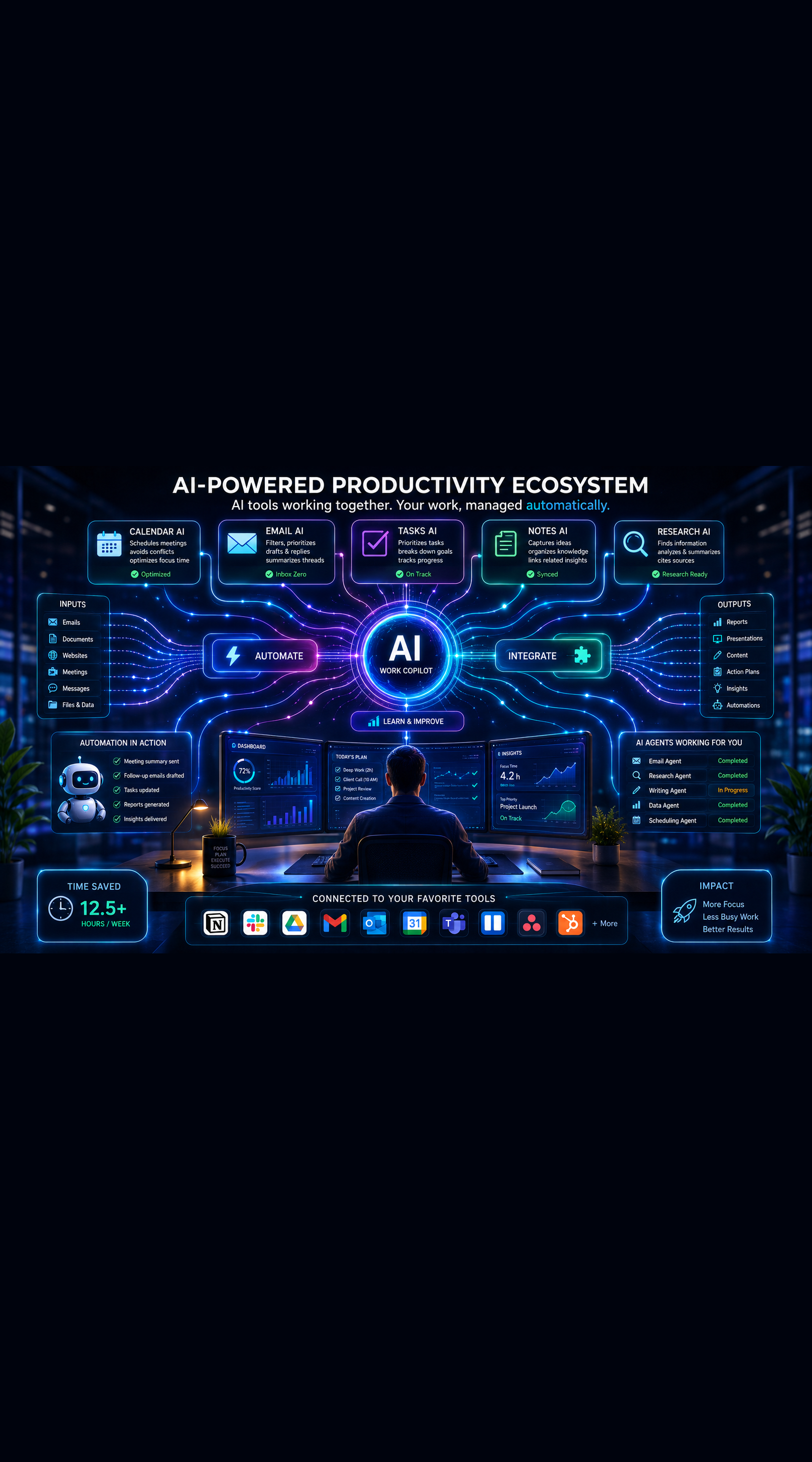
Top performers think about time management as a systems design problem. Instead of relying on willpower to protect their focus, they build systems that make distraction difficult and deep work easy. Instead of manually prioritizing their task list every morning, they use AI tools that handle prioritization automatically based on deadlines, importance, and available time. Instead of trying to remember to follow up on every commitment, they build automated systems that surface reminders at the right moment.
AI does not make you more disciplined. It reduces the number of situations where discipline is required. That is a fundamentally more sustainable approach to high performance.
Strategy One: AI-Powered Time Auditing
You cannot manage what you do not measure. Yet most professionals have only a vague sense of where their time actually goes, and that vague sense is almost always wrong in ways that matter.
Top performers start their AI time management practice with a rigorous audit of how their time is currently being spent, using AI tools to analyze the data and surface insights that manual time tracking would never reveal.
Automated Time Tracking
RescueTime runs in the background on your devices and automatically categorizes every application and website you use throughout the day, generating detailed reports on how your time is actually distributed across different activity types. The AI analysis identifies your peak productivity periods, your most common distraction patterns, and the specific applications consuming the most time outside your intentional work categories.
Toggl Track with its AI features allows manual time tracking with intelligent categorization and weekly analysis reports. For professionals who bill clients by the hour or need to understand time allocation across projects, Toggl provides more granular project-level data than fully automated tools like RescueTime.
Clockify's AI insights analyze your tracked time to surface patterns in your productivity and flag weeks where your time allocation diverged significantly from your stated priorities.
Running a Calendar Audit With AI
Beyond application tracking, a calendar audit reveals how your meeting commitments and scheduled obligations are actually distributing your available time. Paste two to four weeks of calendar data into Claude or ChatGPT and ask it to analyze:
- What percentage of your working hours are consumed by meetings versus focused work
- Which recurring meetings have the lowest apparent value relative to their time cost
- What patterns exist in your meeting scheduling that are creating fragmented focus time
- What the ratio of reactive time to proactive time looks like across a typical week
The output of this analysis frequently reveals that professionals are spending 50 to 70 percent of their time on reactive, meeting-heavy activity while their most important work is being compressed into the margins. Seeing this clearly, rather than just sensing it vaguely, creates the motivation and the specific data needed to make meaningful changes.
Strategy Two: AI-Driven Task Prioritization
Manual task prioritization is one of the most cognitively expensive parts of the knowledge worker's day. Deciding what to work on next requires weighing deadlines, importance, dependencies, energy levels, and available time simultaneously, and doing this well under the pressure of a full inbox and back-to-back meetings is genuinely difficult.
Top performers remove this cognitive overhead by using AI tools that handle dynamic task prioritization automatically.
Dynamic Scheduling With Motion and Reclaim.ai
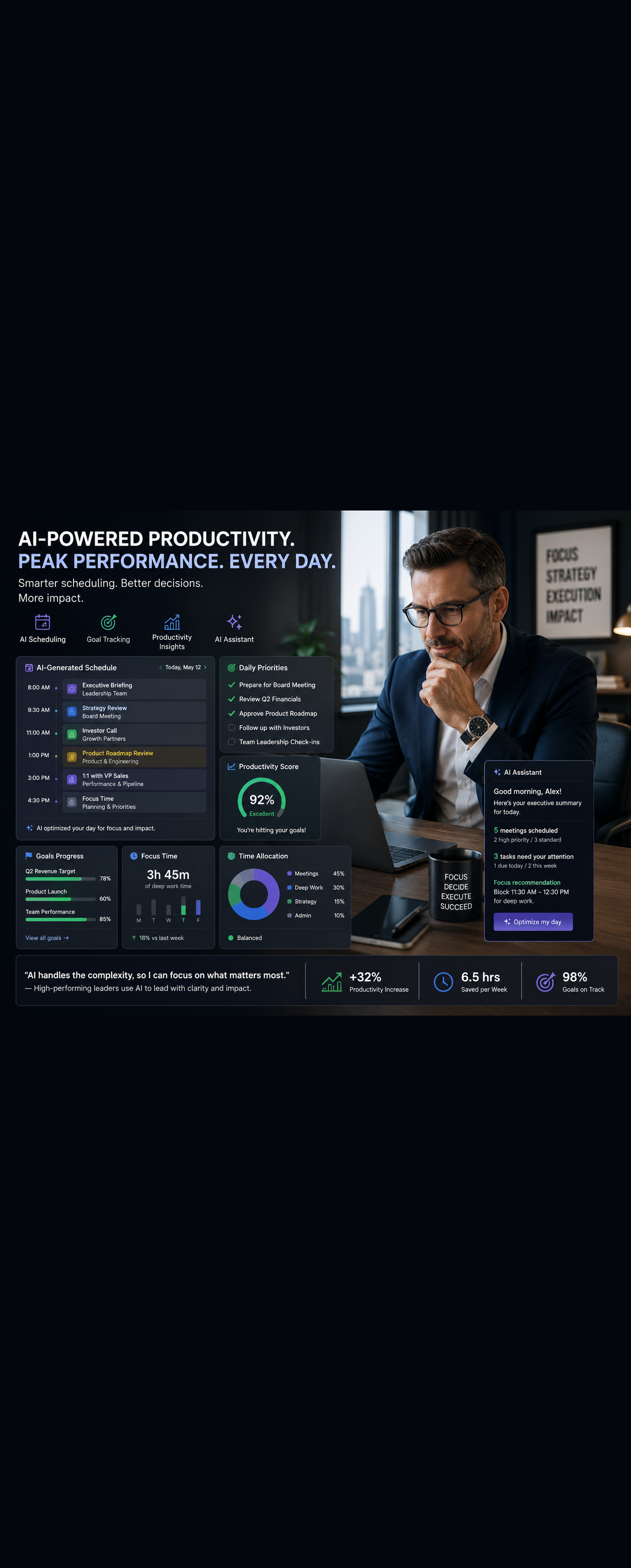
Motion is one of the most sophisticated AI task management tools available. Rather than maintaining a static to-do list, Motion integrates with your calendar and automatically schedules every task into available time slots based on priority, deadline, estimated duration, and your meeting commitments.
When a new task comes in, Motion recalculates your entire schedule to accommodate it without requiring any manual intervention. When a meeting runs long, Motion adjusts the tasks scheduled for the rest of the day automatically. When a deadline shifts, the entire schedule reoptimizes around the new constraint.
The result is a daily schedule that reflects your actual priorities and actual time availability at every moment, rather than a plan you made in the morning that becomes irrelevant by 10 AM when reality diverges from your projections.
Reclaim.ai takes a similar approach with additional features for protecting personal habits and focus blocks. It learns your scheduling preferences over time and becomes increasingly effective at protecting the time that matters most as it accumulates data about how you work.
AI-Assisted Priority Assessment
For professionals who prefer more deliberate control over their prioritization, a daily five-minute session with Claude or ChatGPT can provide the structure that makes manual prioritization fast and reliable.
Share your complete task list, your meeting schedule for the day, and your most important goal for the week. Ask the AI to apply a prioritization framework, whether that is the Eisenhower Matrix, the MoSCoW method, or a custom framework that reflects your specific role and goals, and generate a recommended sequence for the day.
The AI does the analytical heavy lifting. You spend two minutes reviewing and adjusting based on context the tool cannot see. The total time investment is five minutes rather than the 20 to 30 minutes that unstructured manual prioritization frequently consumes.
Strategy Three: Protecting Deep Work With AI Scheduling Tools
The research on deep work is unambiguous. Cognitively demanding tasks that require sustained concentration produce significantly better results when done in uninterrupted blocks of 60 to 120 minutes than when done in fragmented sessions interrupted by notifications, meetings, and context switching.
Top performers protect these deep work blocks with the same seriousness they apply to client commitments. AI scheduling tools make this protection systematic rather than dependent on willpower.
Intelligent Calendar Defense
Clockwise uses AI to analyze your meeting patterns and automatically create and protect focus time blocks during your peak cognitive hours. It also intelligently reschedules meetings to consolidate them into specific parts of the day, reducing the meeting fragmentation that creates unusable gaps between calls.
When a meeting invitation arrives that would fragment your focus time, Clockwise suggests alternative times that preserve your protected blocks without rejecting the meeting outright. This makes calendar defense a collaborative process rather than a unilateral one, which improves acceptance rates among colleagues who might otherwise resent having their meeting requests declined.
Automated Do Not Disturb Systems
Configure automated Do Not Disturb settings across your communication platforms that activate during your deep work blocks without requiring manual management.
Reclaim.ai syncs your calendar status to Slack automatically, showing your availability in real time based on what your calendar indicates. During protected focus blocks, your Slack status automatically updates to signal unavailability, and direct message auto-replies set expectations for when you will respond.
Freedom's scheduled blocking sessions can be configured to start automatically based on calendar events, blocking distracting websites and applications at the start of each deep work block without requiring you to remember to activate them manually.
The Two-Hour Rule
Top performers who have studied their own productivity patterns consistently report that their single most impactful time management habit is protecting the first two hours of their cognitive day for deep work before opening email or attending meetings.
AI scheduling tools make this rule sustainable by defending the morning focus block against meeting creep, routing non-urgent communications to response blocks later in the day, and creating the structural conditions for the rule to hold even when external pressures push against it.
Strategy Four: AI-Powered Meeting Management
Meetings are the single largest source of unrecoverable time waste in most professionals' calendars. The average knowledge worker attends between eight and twelve meetings per week. If each of those meetings runs 30 percent longer than necessary and generates 20 minutes of manual follow-up work, the weekly overhead is significant.
Top performers apply AI at every stage of the meeting lifecycle to reduce this overhead dramatically.
Pre-Meeting Preparation Automation
Thorough preparation for meetings makes them shorter, more focused, and more likely to produce clear decisions and action items. AI tools make thorough preparation fast enough that it actually happens rather than being sacrificed to a busy schedule.
Use Claude or ChatGPT to generate structured meeting agendas based on the stated objective of the meeting and the background context. For client meetings, use Perplexity AI to research recent news and developments relevant to the client's business. For internal strategy meetings, ask AI to draft the key questions that need to be answered rather than the topics that need to be discussed. Topic-based agendas produce unfocused conversations. Question-based agendas produce decisions.
In-Meeting AI Assistance
Deploy an AI meeting assistant that handles transcription and note-taking automatically, freeing your full attention for the conversation. Fathom, Fireflies.ai, and Otter.ai all provide this capability across major video conferencing platforms.
With note-taking automated, top performers shift their cognitive focus during meetings from capturing what is being said to shaping how the conversation is going. The quality of participation improves when your hands are not occupied with transcription.
Post-Meeting Automation
The 20 minutes of manual follow-up work after every meeting, writing summaries, extracting action items, updating the CRM, sending follow-up emails, is where significant time is lost at scale.
Configure your AI meeting assistant to push action items automatically to your project management tool, send the summary to all attendees, and log meeting notes to your CRM for any client-related calls. This automation requires a one-time configuration investment of about an hour and then eliminates the manual follow-up burden permanently.
Strategy Five: Email and Communication Time Boxing
Email is the most significant hidden time drain in most professionals' days. Research has consistently found that knowledge workers check email an average of 77 times per day, which means email is fragmenting focus across the entire workday rather than being managed as a distinct activity with defined boundaries.
Top performers treat email as a scheduled activity with defined time boxes rather than a continuous background process that demands constant attention.
AI-Enhanced Email Processing
Superhuman uses AI to prioritize your inbox automatically, presenting the most important messages first and allowing you to process email at maximum speed through a keyboard-centric interface designed for efficiency. Top Superhuman users process their entire inbox in 15 to 20 minutes, twice per day, rather than dipping in and out throughout the day.
SaneBox uses AI to learn which senders and message types require your attention and which can be deferred or deleted. The tool automatically sorts low-priority email into separate folders that you review on a defined schedule rather than in real time, reducing the volume of messages demanding attention in your primary inbox by 50 to 70 percent for most users.
Gmail's AI drafting features and Claude can generate response drafts for complex emails in seconds. For top performers who receive high volumes of messages requiring substantive replies, AI drafting can reduce the time spent on each response by 60 to 80 percent while maintaining or improving quality through the editing and personalization step that follows.
Defined Communication Windows
Top performers consistently report that defining specific communication windows, typically two to three per day of 20 to 30 minutes each, and holding to those boundaries produces better professional outcomes than constant availability.
Colleagues adjust to defined response windows faster than most professionals expect, particularly when you communicate the schedule proactively and maintain consistent response quality within those windows. The perception of being responsive is shaped more by the quality and completeness of your responses than by the speed at which they arrive.
AI scheduling tools like Reclaim.ai can block your communication windows as recurring calendar events and configure automated responses during focus blocks that set expectations for when replies will arrive.
Strategy Six: AI-Assisted Energy Management
Time management without energy management produces diminishing returns. Working during low-energy periods, even with excellent time management systems, produces lower-quality output than the same work done during peak cognitive windows.
Top performers use AI tools to understand and optimize their energy patterns, not just their time allocation.
Biometric Data Analysis
Oura Ring and Whoop generate daily readiness scores based on sleep quality, heart rate variability, activity levels, and physiological stress markers. Their AI analysis translates this biometric data into specific recommendations for the intensity of cognitive and physical work that is appropriate for each day.
On high readiness days, top performers schedule their most demanding creative and analytical work. On low readiness days, they front-load administrative tasks, meetings, and routine work that does not require peak cognitive capacity. Over time, this approach produces significantly higher output quality than treating every day as if it offers the same cognitive resources.
AI-Powered Sleep and Recovery Optimization
Oura's and Whoop's AI coaching features provide personalized recommendations for sleep timing, pre-sleep routine adjustments, and recovery activities based on your individual biometric patterns. For top performers who recognize that their cognitive output the following day is largely determined by the quality of the previous night's sleep, these tools provide the data-driven guidance that transforms sleep from a passive activity into a strategic performance input.
Task-Energy Matching
Use the data from your time audit and biometric tracking to build a personalized map of which task types are best suited to which energy states. This map becomes a scheduling input that informs how you assign tasks to time blocks throughout the week.
High-energy mornings go to deep creative and analytical work. Medium-energy afternoons go to meetings, collaborative work, and skilled but less demanding tasks. Low-energy end-of-day slots go to administrative processing, inbox management, and routine tasks that require little creative input.
AI scheduling tools like Motion and Reclaim.ai can incorporate your energy pattern preferences into their scheduling algorithms, automatically assigning task types to the time blocks where your energy data suggests you will perform them best.
Strategy Seven: Weekly Review and Forward Planning
The top performers who sustain high output over years rather than burning out in months almost universally maintain a weekly review and planning practice. This practice creates the regular course corrections that prevent small misalignments from compounding into significant productivity losses.
AI tools make this practice faster, more data-rich, and more actionable than manual weekly reviews.
AI-Assisted Weekly Data Synthesis
Gather your key weekly data: time tracking report from RescueTime or Toggl, task completion data from Motion or Reclaim.ai, meeting hours from your calendar, and any performance metrics relevant to your role. Paste this data into Claude or ChatGPT and ask it to synthesize a weekly performance summary that identifies:
- How your actual time allocation compared to your intended priorities
- Which tasks generated the most measurable progress toward your goals
- Which meetings or activities consumed time disproportionate to their value
- What patterns in your schedule created friction or blocked progress
This synthesis takes two minutes of AI processing time and ten minutes of your review and reflection time. The quality of insight it produces would require 45 minutes to an hour of manual analysis to replicate.
Forward Planning With AI Assistance
Use the weekly review insights to inform your planning for the coming week. Ask the AI to help you design a weekly schedule that addresses the gaps and friction points identified in the review, protects the focus time required for your highest-priority work, and builds in the recovery time that your biometric data suggests you need.
Top performers treat this 30-minute weekly review and planning session as the highest-leverage investment they make each week. The clarity and intentionality it creates compound across 52 weeks into a year that looks dramatically different from one spent reacting to whatever arrives first.
Building Your AI Time Management System
The strategies in this guide are most powerful when implemented as a connected system rather than as isolated tactics. Here is the sequence that top performers typically follow when building their AI time management practice from scratch.
Start with the time audit. You cannot design a better system without understanding what your current system actually produces. One week of RescueTime data and a calendar audit with AI analysis give you the baseline you need.
Add AI task management next. Motion or Reclaim.ai handling dynamic scheduling and prioritization is the single change that produces the most immediate and measurable improvement in daily productivity for most professionals.
Layer in meeting management tools. An AI meeting assistant and post-meeting automation eliminate the highest-density time waste in most calendars and produce visible results within the first week of use.
Configure communication boundaries. Inbox AI and defined communication windows protect the focus time that your scheduling tools are creating. Without this layer, meeting fragmentation is replaced by email fragmentation.
Add energy management data over time. Biometric tracking and task-energy matching are the refinements that take a functional system to an optimized one. They require more time to generate meaningful data but produce compounding returns as the system learns your patterns.
Final Thoughts
The professionals consistently outperforming their peers are not working harder. They are working inside better systems. Systems that protect their focus, automate their administration, and ensure their highest-value hours are spent on their highest-value work.
AI has made it possible to build these systems faster, personalize them more precisely, and maintain them with less ongoing effort than any previous generation of time management tools allowed. The investment required to implement the strategies in this guide is measured in hours. The return is measured in hours recovered every week for as long as you maintain the system.
Start with the time audit this week. Understand where your time is actually going. Then build from there.
Your most productive year is not behind you. It is the next one, if you build the system to reach it.
Want more insights like this? Subscribe to the AI Success Forum newsletter.