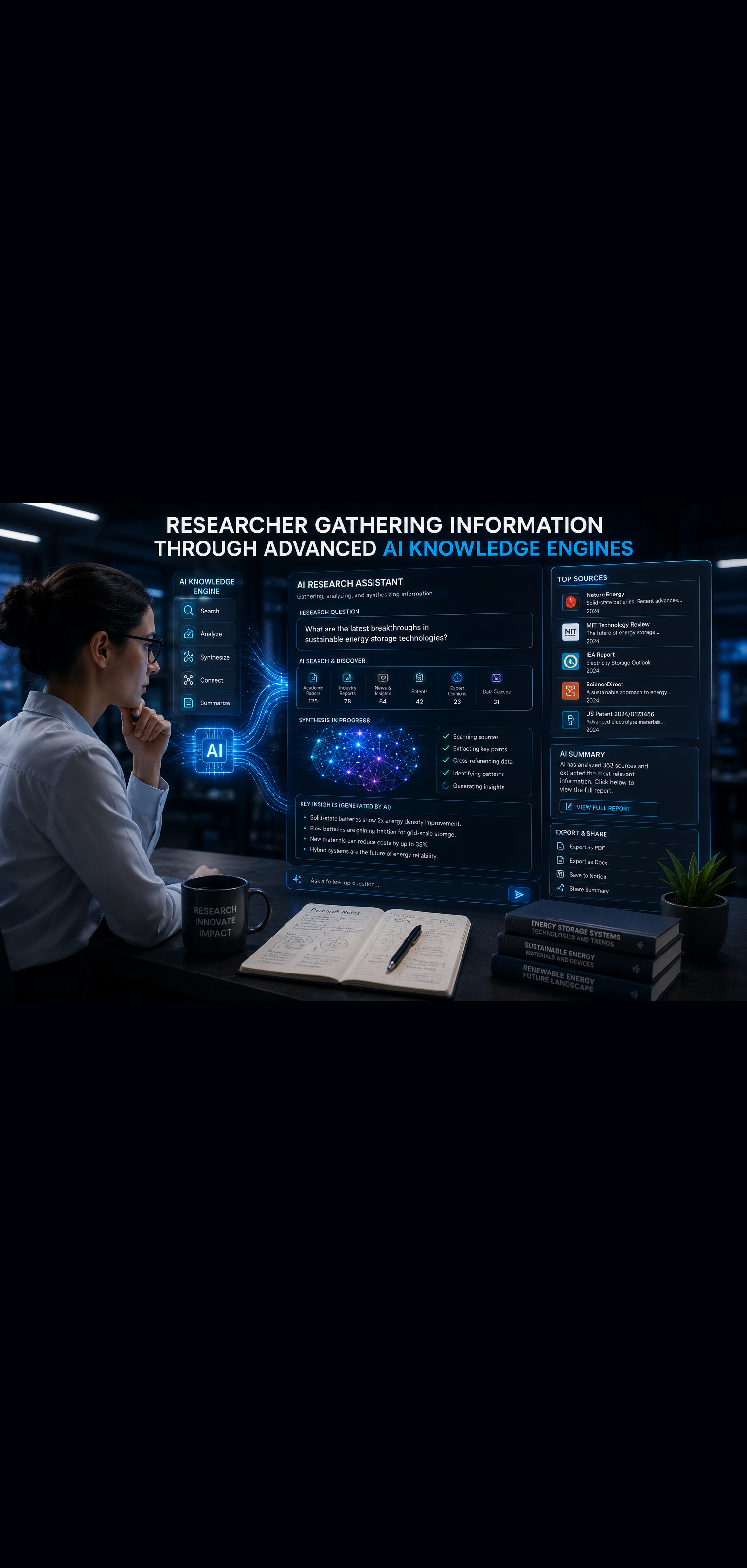
The Complete AI Productivity Stack for 2026
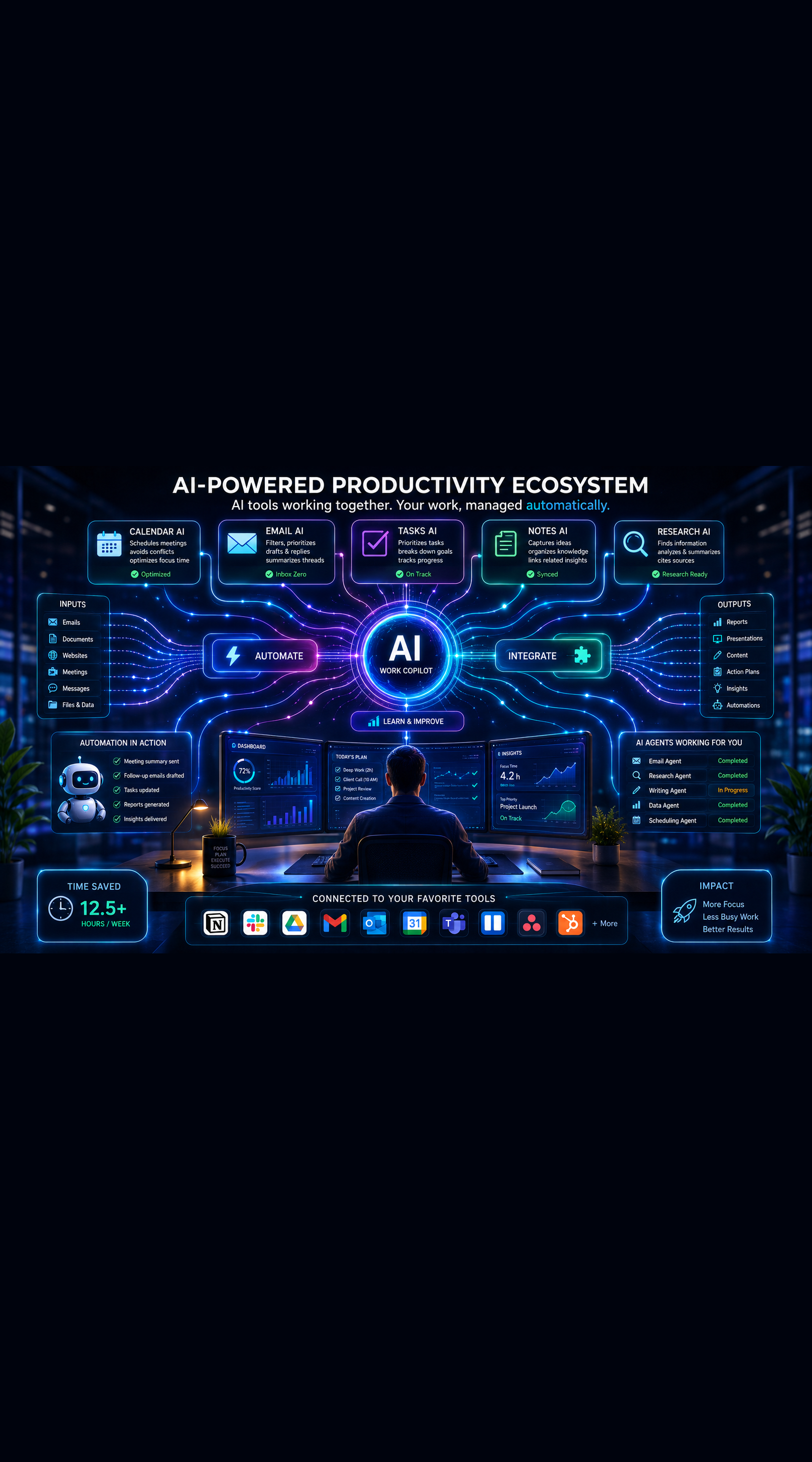
The Complete AI Productivity Stack for 2026
Most professionals are using AI wrong. They have one or two tools they turn to occasionally, they use them in isolation, and they approach each session as a separate interaction rather than as part of a connected, intelligent workflow. The result is fragmented productivity gains that never compound into a genuine performance advantage.
The professionals pulling away from the pack in 2026 are not using more AI tools. They are using the right tools in an integrated stack where each component serves a specific function and the whole system works together. The difference between a random collection of AI apps and a deliberate productivity stack is the difference between occasional helpful moments and a systematic, daily performance multiplier.
This guide gives you the complete AI productivity stack for 2026 — every category covered, the best tools in each, how they work together, and exactly how to build yours without the overwhelm of too much choice.
What Makes a Productivity Stack Different from a Tool Collection
A productivity stack is an integrated system. Every tool has a specific job. The tools connect to each other where it adds value. The whole system is designed around your actual workflow rather than assembled from whatever seemed interesting at the time.
Three principles define a great productivity stack.
Intentional coverage. Every major workflow category — thinking, writing, communication, research, scheduling, knowledge management, automation — has a designated tool. Nothing important falls through the cracks into manual work.
Minimal overlap. Two tools doing the same job is waste. A well-designed stack has one primary tool per function and clear decisions about where each one applies.
Integration where it matters. The best stacks have tools that pass information to each other — research flowing into notes, notes informing writing, writing tools connected to publishing platforms. Integration reduces friction and eliminates the manual transfer work that breaks most workflows.
With these principles in place, let us build your stack.
Layer 1: The AI Brain — Core Thinking and Writing Assistant
Every productivity stack needs a primary AI assistant that handles thinking, drafting, analysis, and problem-solving. This is the tool you turn to most often and the one that delivers the broadest productivity value across your work.
The Top Choices
Claude Pro is the strongest primary AI assistant for professionals who prioritize analytical depth, nuanced writing quality, and working with long documents. Claude handles 200,000 token context windows, making it exceptional for analyzing full reports, reviewing lengthy contracts, processing complete research bodies, and maintaining context across complex multi-part projects. Its writing quality — particularly for professional, nuanced communication — is consistently strong.
ChatGPT Plus is the strongest choice for professionals who need breadth across diverse task types, access to a rich plugin and tool ecosystem, and the Deep Research capability for comprehensive research sessions. GPT-4o handles text, images, voice, and code within a single interface, making it genuinely versatile across a wide range of professional scenarios.
The practical approach for most serious professionals is access to both — using Claude for deep analysis, long documents, and high-quality writing, and ChatGPT for research, image analysis, coding assistance, and tasks benefiting from its broader tool ecosystem. At roughly $20 per month each, this combination delivers more productivity value per dollar than almost any other professional investment.
How to Use Your Core AI Effectively
The quality of your primary AI assistant's output is directly determined by the quality of your prompts. Three habits separate professionals who get exceptional results from those who get mediocre ones.
Provide context generously. The more relevant background you give, the better the output. Do not just state the task — explain your role, your audience, your goal, and any constraints.
Define the output format explicitly. Specify whether you want a structured document, a bulleted list, a flowing narrative, a specific word count, or a particular tone. Ambiguity produces generic outputs.
Iterate deliberately. Rarely is the first response the best response. Ask for revisions, push back on elements that do not fit, request alternative approaches. The most valuable interactions are conversations, not single exchanges.
Layer 2: Research and Information Intelligence
Your primary AI assistant handles thinking and writing. Research intelligence requires specialized tools designed for information gathering, source verification, and synthesis across current data.
Perplexity AI — Your Real-Time Research Engine
Perplexity sits at the center of most professional research workflows because it combines live web search with AI synthesis and source citation. Every answer comes with sources you can verify, making it the most reliable tool for current information, specific statistics, and factual research where accuracy is critical.
Use Perplexity for: competitive research, market data, recent industry developments, fact-checking, and any research query where current information matters. Its structured, cited responses dramatically reduce the verification burden compared to standard AI assistant responses.
ChatGPT Deep Research — Comprehensive Research Sessions
For research projects that require depth and synthesis across many sources — building a comprehensive competitive landscape, researching a complex market entry decision, producing a detailed industry analysis — ChatGPT's Deep Research feature conducts extended research sessions that surface and synthesize information at a level no manual research process could match in the same time.
Elicit and Consensus — Academic and Evidence-Based Research
For professionals whose work requires engagement with peer-reviewed research — healthcare, education, policy, evidence-based strategy — Elicit and Consensus provide AI-powered access to academic literature that standard search tools handle poorly.
Feedly AI — Ongoing Intelligence Monitoring
Staying current on fast-moving topics without spending hours on news consumption requires an intelligent aggregation layer. Feedly's AI-powered news aggregation learns your interests, monitors thousands of sources, and surfaces relevant content with AI summaries. Configure it for your key topics and spend 15 focused minutes reviewing curated intelligence rather than scattered news browsing throughout the day.
Layer 3: Writing and Communication Excellence
Writing is one of the highest-leverage professional activities and one where AI delivers immediate, measurable productivity gains. Your writing layer covers everything from quick emails to long-form content.
Grammarly Premium — The Writing Quality Layer
Even with a strong primary AI assistant doing initial drafts, a dedicated writing quality tool adds a final layer of polish that catches issues AI drafts miss. Grammarly Premium handles grammar, tone analysis, clarity improvements, engagement scoring, and delivery calibration across your entire digital workspace — inside Google Docs, email clients, Slack, LinkedIn, and most other writing environments.
The tone and delivery features are particularly valuable for professional communication. Grammarly can flag when an email reads as more aggressive or more passive than you intend and suggest specific adjustments — a level of communication coaching that pays for itself repeatedly in professional contexts.
Hemingway Editor — Clarity and Readability
Hemingway Editor focuses specifically on writing clarity — identifying overly complex sentences, passive voice, adverb overuse, and readability issues. For professionals who write content, reports, or documentation that needs to be accessible across different audience knowledge levels, Hemingway is a fast, effective final editing pass.
Email AI — Communication Efficiency
Your primary AI assistant handles complex email drafting. For the high volume of routine professional communication, purpose-built email AI tools integrated directly into your email client deliver faster results. Microsoft Copilot for Outlook and Google Gemini for Gmail handle triage, summarization, and routine draft generation natively within your existing email workflow.
Layer 4: Scheduling and Calendar Intelligence
Time is the resource all others depend on. Your scheduling layer uses AI to protect your most productive hours, reduce meeting coordination overhead, and ensure your calendar reflects your actual priorities rather than everyone else's demands.
Reclaim.ai — Intelligent Calendar Management
Reclaim is the strongest AI scheduling tool available for professionals who need to protect focus time while maintaining a busy meeting calendar. It automatically schedules your habits, focus blocks, and high-priority tasks around your existing meetings, and continuously reschedules when calendar changes occur.
Reclaim's meeting optimization features also analyze your meeting patterns and suggest improvements — identifying meetings that could be asynchronous, protecting certain days from meeting scheduling, and ensuring your calendar includes adequate buffer time between commitments.
For professionals whose calendars consistently fill with meetings that crowd out focused work, Reclaim delivers immediate, measurable value from the first week of use.
Calendly or Cal.com — Meeting Scheduling Automation
Meeting scheduling back-and-forth is one of the most consistently time-wasting professional activities. A booking link that shows your real-time availability and allows others to self-schedule eliminates this entirely. Calendly and the open-source Cal.com both integrate with your calendar system and can be configured with buffer times, meeting type limits, and availability rules that protect your focus time even when others are booking into your schedule.
Motion — AI-Powered Task and Time Management
Motion combines task management with automatic time blocking, using AI to schedule your tasks into your available calendar time based on priority and deadlines. If a meeting gets added, Motion automatically reschedules your tasks. If a task takes longer than expected, Motion adjusts your schedule in real time.
For professionals who struggle with the gap between their task list and their calendar — knowing what needs to get done but never protecting the actual time to do it — Motion bridges this gap automatically.
Layer 5: Knowledge Management and Second Brain
Information that cannot be retrieved has no value. Your knowledge management layer captures, organizes, and surfaces the accumulated knowledge flowing through your professional life.
Notion with Notion AI — The Central Knowledge Hub
Notion serves as the operational hub for most effective knowledge management systems — capturing notes, managing projects, storing reference material, and maintaining the organized documentation that keeps complex work on track. Notion AI adds intelligent assistance throughout: summarizing pages, answering questions about your saved content, helping you find connections across notes, and generating content within your workspace.
Build your Notion workspace around the PARA framework — Projects, Areas, Resources, Archive — and configure Notion AI to help you maintain and navigate it. The result is a knowledge system that grows more valuable with every piece of content added.
Readwise — Reading Intelligence
If you consume books, articles, newsletters, and research as part of your professional development, Readwise captures and resurfaces your highlights automatically. It connects to Kindle, Instapaper, Pocket, and most reading platforms, pulls your highlights into a central library, and sends you daily review emails that resurface saved insights through spaced repetition.
Pair Readwise with Readwise Reader — its full AI-powered reading app — and your entire reading workflow becomes an intelligent knowledge capture system rather than a series of isolated reading experiences.
Obsidian — Deep Knowledge Linking
For professionals who want the most powerful idea connection and knowledge graph capabilities, Obsidian complements or replaces Notion as the primary knowledge base. Its bidirectional linking and visual knowledge graph reveal relationships between ideas across your notes that linear folder systems cannot surface. AI plugins add question-answering and semantic search capabilities across your entire knowledge vault.
Layer 6: Automation and Workflow Integration
The automation layer eliminates the manual transfer work that breaks most workflows and handles recurring processes that do not require your judgment.
Zapier or Make — The Automation Engine
Zapier and Make connect your tools and automate workflows without code. New lead in your CRM triggers a personalized email sequence. Published blog post triggers social media sharing. Completed payment triggers onboarding document delivery. Meeting transcript from Otter.ai automatically flows into Notion.
Start by identifying your three most repetitive manual transfer tasks between tools and build automations for those first. Each automation you build compounds — the time it saves accumulates every day it runs without your involvement.
Zapier is simpler to set up and better for straightforward, linear automations. Make is more powerful for complex, multi-step workflows with conditional logic. Start with Zapier and graduate to Make as your automation sophistication grows.
n8n — Advanced Self-Hosted Automation
For professionals or teams who need more powerful automation capabilities than Zapier or Make provide, n8n is an open-source automation platform with significantly more flexibility and the option for self-hosted deployment that keeps sensitive workflow data off third-party servers.
Zapier AI Actions — Natural Language Automation
Zapier's AI Actions feature allows you to trigger automations through natural language within your AI assistant conversations. Rather than manually switching between tools, you can instruct your AI assistant to create tasks, send messages, update records, and trigger workflows through natural language commands — a genuine workflow convergence that removes significant friction from daily operations.
Layer 7: Creative and Visual Production
For professionals who produce visual content, presentations, or creative assets as part of their work, AI-powered creative tools have reached production quality in 2026.
Canva AI — Design and Visual Content
Canva's integrated AI features — including Magic Design, text-to-image generation, background removal, and AI-powered layout suggestions — make professional-quality visual content production accessible without design expertise. For social media graphics, presentation slides, marketing materials, and basic visual assets, Canva AI handles the production work while you focus on the messaging and strategy.
Midjourney or Adobe Firefly — Image Generation
For high-quality custom image generation, Midjourney remains the strongest option for creative, detailed, and artistically sophisticated outputs. Adobe Firefly is the better choice when commercial usage rights and integration with Adobe Creative Suite are priorities.
Both tools have reached the quality level where AI-generated images are indistinguishable from stock photography for most professional use cases, eliminating stock photo costs and licensing complexity for many content needs.
Gamma — AI-Powered Presentations
Gamma takes a written outline or prompt and generates a complete, well-designed presentation. For professionals who need to produce presentations regularly, Gamma dramatically compresses the production time while maintaining visual quality. The output is not a raw template — it is a complete, formatted deck that needs editing rather than building from scratch.
Layer 8: Focus and Deep Work Support
The best tools in every other layer deliver half their potential value if you cannot focus long enough to use them well. Your focus layer creates the conditions for concentrated, high-quality work.
Reclaim.ai Focus Sessions
Reclaim does double duty here — beyond calendar management, its focus session features block distracting sites, silence notifications, and create protected work periods that are reflected in your calendar as unavailable to others.
Brain.fm — Cognitive State Audio
Brain.fm's AI-generated functional music is engineered specifically to support focus, relaxation, and sleep states rather than for entertainment. Many professionals who cannot work to music with lyrics or find ambient sound insufficient find Brain.fm produces noticeably better concentration quality during deep work sessions.
RescueTime — Attention Analytics
RescueTime runs in the background and tracks how your time is actually spent across applications and websites. Its AI-powered reports surface patterns in your productivity — your most productive hours, your biggest distraction sources, and the gap between intended and actual time allocation. This data is the foundation for making evidence-based improvements to your focus system rather than guessing at where your attention goes.
Building Your Stack: The Phased Approach
Trying to implement all eight layers simultaneously is the fastest way to implement none of them effectively. Build your stack in phases.
Phase 1: The Foundation (Weeks 1 to 2)
Start with the tools that deliver the broadest immediate value:
- Claude Pro or ChatGPT Plus as your primary AI assistant
- Perplexity AI for research
- Grammarly Premium for writing quality
- Notion for knowledge management and project tracking
Use these daily for two weeks before adding anything else. Develop fluency with your prompting approach and your Notion workspace structure.
Phase 2: Communication and Scheduling (Weeks 3 to 4)
Add the tools that reduce communication and scheduling overhead:
- Microsoft Copilot or Google Gemini for email management
- Reclaim.ai for calendar and focus time protection
- Calendly for meeting scheduling automation
Phase 3: Automation and Integration (Weeks 5 to 6)
Once your core workflow is stable, add the automation layer:
- Zapier for your three highest-priority manual workflow transfers
- Readwise if reading and highlight capture is important to your work
Phase 4: Specialized Tools (Ongoing)
Add specialized tools as you identify specific gaps the foundation stack does not cover — Obsidian if you want deeper knowledge linking, Midjourney for visual content needs, Motion if task scheduling is a significant friction point, Brain.fm if focus quality is a persistent challenge.
The Monthly Productivity Stack Audit
A productivity stack that never gets reviewed gradually accumulates unused subscriptions, misses new tools that would deliver significant value, and loses alignment with your evolving work needs.
Schedule a 30-minute monthly review using this framework:
Usage review: Which tools did you use daily? Weekly? Rarely or never? Tools you use rarely are either not well integrated into your workflow or not delivering sufficient value to justify continued subscription.
Friction audit: Where in your workflow do you still experience significant manual effort, context switching, or friction that AI tools should be able to address? This identifies the gaps your next tool acquisition should target.
Integration opportunities: Are there connections between your existing tools that you have not set up? Automations you have been meaning to build? Integrations that would reduce manual transfer work?
Cost review: What is your total monthly stack cost? Is the productivity value delivered proportionate to that investment? Most professionals find their AI productivity stack pays for itself many times over, but periodic review keeps spending intentional.
What a Complete AI Productivity Stack Actually Costs
A realistic complete stack covering all eight layers costs between $150 and $350 per month for a professional individual, depending on which tier of tools you select.
Broken down by layer:
- Core AI assistant (Claude Pro plus ChatGPT Plus): $40
- Research tools (Perplexity Pro): $20
- Writing tools (Grammarly Premium): $30
- Scheduling (Reclaim.ai plus Calendly): $25
- Knowledge management (Notion Plus plus Readwise): $25
- Automation (Zapier Starter): $30
- Creative tools (Canva Pro): $15
- Focus tools (Brain.fm plus RescueTime): $25
For a professional whose productive work has meaningful economic value, this investment level is easy to justify. Recovering two hours per day of productive work time — a conservative estimate of what a well-implemented stack delivers — represents a productivity gain that dwarfs the cost at almost any professional billing rate.
Conclusion: Build the Stack That Builds Your Career
The professionals building the most productive lives in 2026 are not working harder. They are working through better systems — systems where AI handles the execution overhead so human attention and judgment can focus on the work that actually creates value.
The complete AI productivity stack described in this guide is not aspirational. Every tool exists today, is actively used by professionals across industries, and delivers documented productivity gains in real workflows.
Build it in phases. Start with the foundation. Add layers as your habits solidify. Review and optimize monthly. Let the compounding begin.
Your best work is waiting for the system that gives it the space to happen.
Want more insights like this? Subscribe to the AI Success Forum newsletter.