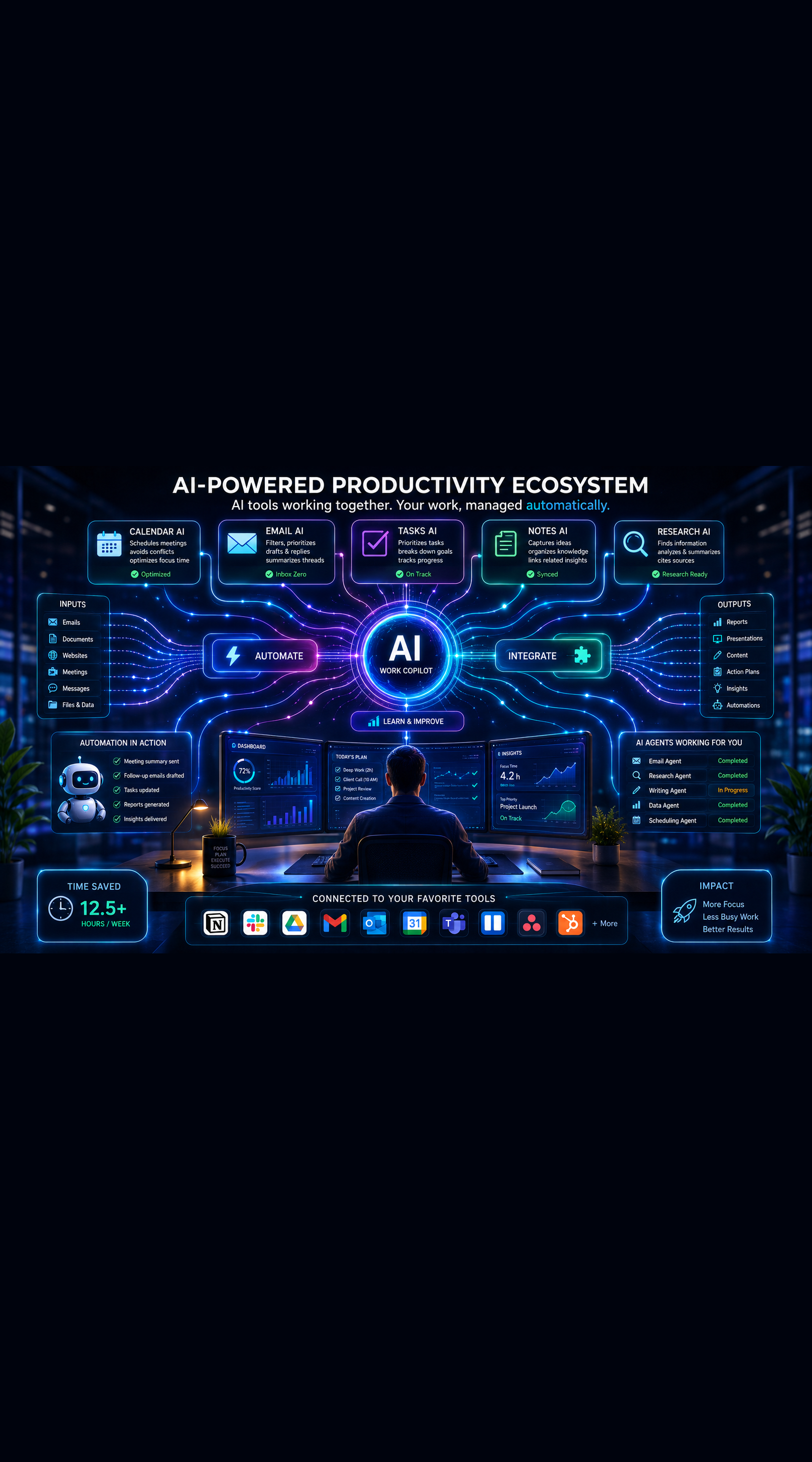
Best AI Tools for Managing Your Daily Tasks

Best AI Tools for Managing Your Daily Tasks
Staying productive has become more challenging than ever. Between emails, meetings, project deadlines, and personal commitments, it's easy to feel overwhelmed by an endless list of tasks.
Fortunately, AI-powered task management tools are changing the way professionals organize their work. Instead of manually prioritizing tasks, creating schedules, and tracking progress, AI can now help automate these processes and improve daily productivity.
In this guide, we'll compare the best AI tools for managing your daily tasks and help you choose the right solution for your workflow.
Why AI-Powered Task Management Matters
Traditional task managers are useful for organizing work, but they still require significant manual effort.
AI-enhanced tools can:
- Prioritize tasks automatically
- Suggest schedules based on workload
- Generate reminders and follow-ups
- Summarize project updates
- Reduce administrative work
- Improve focus and productivity
The result is a more efficient workday with less mental overload.
What to Look for in an AI Task Management Tool
Before choosing a platform, consider these key features.
Intelligent Task Prioritization
The best AI tools analyze deadlines, urgency, and workload to recommend what deserves attention first.
Automated Scheduling
AI scheduling helps distribute work across your calendar without requiring manual planning.
Natural Language Input
You should be able to create tasks simply by typing instructions such as:
Schedule a client follow-up next Tuesday and remind me one day before.
Workflow Automation
Automation features reduce repetitive work and keep projects moving without constant supervision.
Team Collaboration
For professionals working with teams, collaboration features are essential for tracking progress and accountability.
1. Notion AI
Best For: Knowledge Workers and Professionals
Notion has evolved from a note-taking application into a powerful productivity platform.
With Notion AI, users can:
- Generate meeting summaries
- Create project plans
- Draft documentation
- Organize tasks automatically
- Search information across workspaces
Pros
- Flexible workspace
- Excellent documentation features
- Strong AI integration
- Great for personal and professional use
Cons
- Initial setup can take time
- Advanced workflows require planning
Notion AI is an excellent choice for professionals who want task management and knowledge management in a single platform.
2. ClickUp AI
Best For: Project Management
ClickUp combines task management, collaboration, and AI assistance into one platform.
Its AI capabilities help users:
- Generate task descriptions
- Create project summaries
- Plan workflows
- Draft communications
- Analyze project progress
Pros
- Comprehensive feature set
- Strong team collaboration
- Powerful automation options
- Detailed reporting
Cons
- Learning curve for beginners
- Can feel overwhelming initially
For project-heavy environments, ClickUp remains one of the strongest AI productivity solutions available.
3. Motion
Best For: Automated Scheduling
Motion takes a unique approach by automatically planning your day.
The platform dynamically schedules tasks based on:
- Deadlines
- Meeting commitments
- Workload
- Availability
When priorities change, Motion automatically adjusts your schedule.
Pros
- Excellent automated planning
- Reduces decision fatigue
- Optimizes calendar management
- Easy daily execution
Cons
- Less flexible than traditional task managers
- Premium pricing
Professionals who struggle with daily planning often see significant productivity improvements with Motion.
4. Todoist AI Features
Best For: Simplicity
Todoist remains one of the most popular task management applications.
Its AI-powered capabilities help users:
- Create tasks quickly
- Organize projects
- Prioritize responsibilities
- Improve workflow efficiency
Pros
- Easy to use
- Clean interface
- Fast task entry
- Cross-platform support
Cons
- Fewer advanced AI capabilities
- Limited project management features
If you prefer simplicity over complexity, Todoist is a strong option.
5. Microsoft Copilot with Microsoft To Do
Best For: Microsoft Ecosystem Users
Professionals already using Microsoft 365 can benefit from Copilot's integration across:
- Outlook
- Teams
- Word
- Excel
- Microsoft To Do
AI can summarize meetings, generate action items, and help manage daily priorities.
Pros
- Deep Microsoft integration
- Enterprise-grade security
- Strong productivity features
- Excellent for corporate environments
Cons
- Best experience requires Microsoft 365 subscriptions
- Less useful outside the Microsoft ecosystem
Organizations already invested in Microsoft products can gain significant efficiency improvements.
6. Trello with AI Enhancements
Best For: Visual Task Management
Trello remains popular because of its visual Kanban-style approach.
Recent AI enhancements help users:
- Create project plans
- Generate task descriptions
- Organize workflows
- Improve project visibility
Pros
- Easy visual organization
- Simple onboarding
- Flexible workflows
- Good collaboration features
Cons
- Limited advanced planning capabilities
- Less suitable for complex projects
Trello works especially well for small teams and personal productivity.
Comparison Table
| Tool | Best For | AI Features | Ease of Use |
|---|---|---|---|
| Notion AI | Knowledge Management | Excellent | Moderate |
| ClickUp AI | Project Management | Excellent | Moderate |
| Motion | Scheduling | Excellent | Easy |
| Todoist | Personal Productivity | Good | Very Easy |
| Microsoft Copilot | Enterprise Work | Excellent | Easy |
| Trello | Visual Planning | Good | Very Easy |
Which AI Task Management Tool Should You Choose?
The right choice depends on your workflow.
Choose Notion AI if you want an all-in-one productivity workspace.
Choose ClickUp AI if you manage multiple projects and teams.
Choose Motion if scheduling and time management are your biggest challenges.
Choose Todoist if you want simplicity and speed.
Choose Microsoft Copilot if your organization already uses Microsoft 365.
Choose Trello if you prefer visual project tracking.
Final Thoughts
AI-powered task management tools are no longer optional productivity enhancements. They are becoming essential for professionals who want to stay organized, reduce manual work, and focus on high-impact activities.
The best approach is to start with one platform, integrate it into your daily workflow, and gradually leverage its AI capabilities to automate planning, prioritization, and execution.
The professionals who learn to work alongside AI today will have a significant productivity advantage tomorrow.
Want more insights like this? Subscribe to the AI Success Forum newsletter.