Best AI Meeting Assistants for Busy Professionals
Best AI Meeting Assistants for Busy Professionals
The average professional spends between 15 and 23 hours per week in meetings. Of those hours, a significant portion is spent doing things that have nothing to do with the actual conversation: frantically taking notes, trying to remember who said what, and spending the 30 minutes after every call writing up summaries and action items that should have been captured automatically.
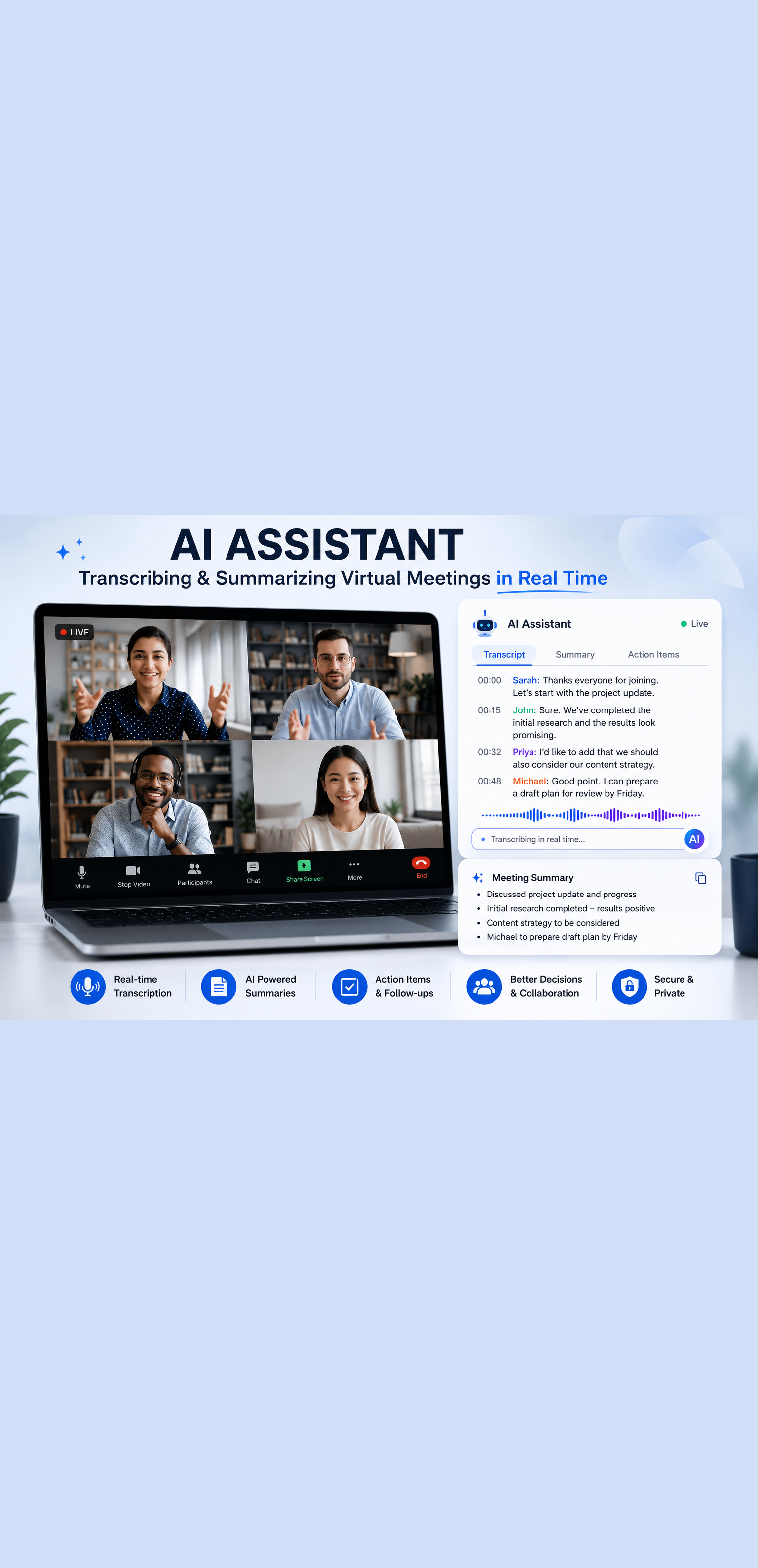
AI meeting assistants have solved this problem completely. The right tool joins your calls, records and transcribes everything, generates accurate summaries, identifies action items, and in many cases pushes follow-up tasks directly into your project management or CRM system before you have even closed your laptop.
This guide covers the best AI meeting assistants for busy professionals in 2026, what makes each one worth considering, and how to choose the right tool for your specific workflow.
Why AI Meeting Assistants Are Now Essential Productivity Tools
The value proposition of an AI meeting assistant is straightforward. You show up to the meeting fully present, focused entirely on the conversation, knowing that every important detail is being captured automatically. After the meeting, you spend two minutes reviewing a summary rather than twenty minutes writing one.
Over the course of a week spent in fifteen meetings, that difference compounds into several hours of recovered time. Hours that can go toward deep work, client delivery, business development, or simply leaving the office at a reasonable time.
Beyond the time savings, AI meeting assistants produce better records of what was discussed and decided than human note-takers. They do not miss things because they were distracted. They do not paraphrase inaccurately because they were typing fast. They capture everything and organize it in a format that is searchable, shareable, and actionable.
For teams spread across time zones, these tools also allow anyone who could not attend a meeting to get an accurate, comprehensive record of what was discussed without requiring the attendees to write a detailed recap.
What to Look for in an AI Meeting Assistant
Before reviewing specific tools, here are the criteria that separate genuinely useful AI meeting assistants from ones that disappoint in practice.
Transcription accuracy: The foundation of every other feature is accurate transcription. A tool that mishears speakers or confuses similar-sounding words produces summaries and action items that cannot be trusted. Look for tools that specify accuracy rates and support multiple languages if relevant to your work.
Summary quality: Transcription is the raw material. The summary is the deliverable. A good AI summary captures the key discussion points, decisions made, and action items without burying them in a wall of text. The best tools allow you to customize the summary format to match your workflow.
Integration depth: A meeting assistant that requires you to manually copy information into your other tools is only solving half the problem. Look for native integrations with the CRM, project management platform, and calendar tools you already use.
Privacy and security: Meeting recordings contain sensitive business information. Understand where recordings are stored, who has access, and whether the provider uses your data to train their models. For enterprise teams, compliance with SOC 2, GDPR, and other relevant frameworks matters.
Platform compatibility: Your tool needs to work reliably on Zoom, Google Meet, Microsoft Teams, and any other platforms your team uses. Compatibility issues that surface on the third day of a trial waste time you do not have.
Best AI Meeting Assistants in 2026
Otter.ai
Otter.ai is one of the most established names in AI transcription and meeting assistance, and it remains a strong choice for individuals and small teams in 2026.
The tool joins your calls automatically, transcribes in real time, and generates a summary with identified action items and key discussion points after the meeting ends. The transcription accuracy is strong for clear audio environments and native English speakers, with performance varying more in noisy environments or heavy accent situations.
What distinguishes Otter.ai is its real-time transcription visibility. Participants can follow along with the live transcript during the meeting, which is particularly useful for accessibility, for participants joining from environments where audio quality is variable, and for anyone who wants to quickly search back through what was said earlier in a conversation without rewinding a recording.
Otter.ai integrates with Zoom, Google Meet, Microsoft Teams, Google Calendar, and Outlook. Its OtterPilot feature can join meetings automatically based on your calendar invites, eliminating the need to remember to start a recording.
Best for: Individuals, small teams, journalists, researchers, and anyone who prioritizes real-time transcript visibility.
Pricing: A free tier with limited monthly transcription minutes is available. Paid plans start at around $16.99 per user per month and scale to business and enterprise tiers with additional features and higher usage limits.
Limitations: Summary quality for complex, fast-moving technical discussions can be inconsistent. The free tier limits are restrictive for professionals in meetings daily.
Fireflies.ai
Fireflies.ai has positioned itself as one of the most feature-rich AI meeting assistants on the market, and for teams that need deep workflow integration, it delivers.
The platform records, transcribes, and summarizes meetings across all major video conferencing platforms. Where it distinguishes itself is in the depth of its post-meeting workflow capabilities. Fireflies can automatically push action items to project management tools like Asana, Trello, and ClickUp, log meeting notes directly into CRM systems including Salesforce and HubSpot, and send follow-up summaries to all attendees via email.
The search functionality is particularly strong. You can search across your entire library of past meeting transcripts by keyword, speaker, topic, or date, making it genuinely practical to find a specific detail from a conversation that happened three months ago without listening to the recording.
Fireflies also offers an AI feature called AskFred, which allows you to ask natural language questions about any meeting recording and receive direct answers extracted from the transcript. This is useful for quickly verifying what was decided on a specific topic without reading the full summary.
Best for: Sales teams, customer success teams, and any organization that needs meeting data to flow automatically into CRM and project management systems.
Pricing: A free tier handles limited meetings. Paid plans start at $10 per user per month for the Pro tier, with Business and Enterprise plans available for teams with higher volume and compliance requirements.
Limitations: The free tier stores recordings for only 30 days. Some users report that the AI-generated summaries for highly technical meetings require more editing than summaries from competing tools.
Fathom
Fathom has built a strong reputation among professionals who prioritize simplicity, speed, and output quality over feature breadth. Its free tier is one of the most generous in the category, which has driven rapid adoption among individual professionals and small teams.
The tool focuses on doing three things exceptionally well: recording, transcription, and generating high-quality summaries with minimal setup. The summaries Fathom produces are consistently cited as among the best in the category for readability and relevance, with a clear structure that highlights key points, decisions, and action items without unnecessary padding.
Fathom integrates directly with Zoom, Google Meet, and Microsoft Teams and pushes summaries to Slack, email, and popular CRM platforms including Salesforce and HubSpot. The workflow from meeting end to summary in your inbox is fast, typically delivering within a few minutes of the call ending.
The user experience is notably clean. There is no complex configuration required to get value from Fathom. You install it, connect your calendar, and it handles the rest.
Best for: Individual professionals, founders, consultants, and small teams who want the highest quality summaries with minimal setup and configuration.
Pricing: The free tier covers unlimited recordings and transcriptions for Zoom meetings, which makes it one of the most accessible entry points in the category. Paid plans unlock additional integrations, team features, and support for additional platforms.
Limitations: Feature depth is more limited than Fireflies for teams with complex workflow integration needs. Enterprise compliance features are less developed than some competing platforms.
Avoma
Avoma is built specifically for revenue teams, combining AI meeting assistance with conversation intelligence features that go beyond standard transcription and summarization.
The platform records and transcribes meetings, generates structured notes following customizable templates, and provides analytics on conversation patterns including talk-to-listen ratios, topic coverage, competitor mentions, and objection frequency. These analytics are particularly valuable for sales managers who want to coach reps based on real conversation data rather than self-reported call notes.
Avoma's note templates are a standout feature for teams with standardized meeting formats. You can create templates for discovery calls, demo meetings, customer success check-ins, and internal team reviews, and Avoma will automatically structure its AI-generated notes to match the appropriate template based on the meeting type.
The CRM integration is deep, with automatic population of deal notes, contact activity logs, and next steps in Salesforce and HubSpot without any manual data entry.
Best for: Sales teams, customer success teams, and revenue operations professionals who need both meeting assistance and conversation intelligence analytics.
Pricing: Plans start at $19 per user per month for the Starter tier. Business and Enterprise plans with full conversation intelligence features are priced higher and typically sold to teams rather than individuals.
Limitations: The pricing is higher than alternatives for individual users who do not need the conversation intelligence features. The platform is more complex than simpler tools and has a steeper initial setup curve.
Notion AI Meeting Notes
For teams already using Notion as their primary workspace, Notion AI's meeting notes feature offers the advantage of keeping everything in one place without adding another platform to manage.
Notion AI can generate structured meeting notes from an audio recording or transcript, organize them within your existing Notion workspace, and connect them to related project pages, task databases, and documentation. The tight integration with Notion's database and linking features means meeting notes become part of a connected knowledge system rather than isolated documents.
The feature works best for teams that have already invested in building out their Notion workspace and want to extend it rather than adding a standalone meeting tool. It is less compelling as a standalone meeting assistant compared to purpose-built alternatives.
Best for: Teams already deeply invested in Notion who want meeting notes integrated directly into their existing workspace without managing another tool.
Pricing: Included in Notion AI plans, which are priced as an add-on to existing Notion workspace subscriptions.
Limitations: Not as feature-rich as dedicated meeting assistant platforms for transcription accuracy, real-time features, or CRM integration. Works best as a complement to a primary meeting recording tool rather than as a standalone solution.
tl;dv
tl;dv, which stands for too long, did not view, is built around a specific insight: the most useful thing you can do with a meeting recording is make it easy to share and reference specific moments without asking someone to watch an hour-long video.
The platform records and transcribes meetings and allows you to clip, tag, and share specific moments from any recording with a simple link. This makes it particularly valuable for teams that need to share meeting highlights with stakeholders who were not present, gather feedback on specific discussion points, or build a library of customer insights from discovery and sales calls.
The AI summary features are solid and include action item extraction and key moment identification. The integrations cover the major video conferencing and CRM platforms. But the core differentiation is in the clipping and sharing experience, which is more polished than competing tools.
Best for: Product teams, UX researchers, customer insight teams, and anyone who regularly needs to share specific moments from meetings with a broader audience.
Pricing: A free tier covers unlimited recordings with limited AI features. Paid plans start at around $18 per user per month for Pro features including advanced AI summaries and extended storage.
Limitations: The AI summary quality for long, complex meetings is less consistent than purpose-built tools like Fathom. The clipping and sharing features add complexity that individual users who just want clean summaries may not need.
How to Choose the Right AI Meeting Assistant for Your Workflow
With six strong options reviewed, here is a practical framework for choosing the one that fits your specific situation.
If you are an individual professional or consultant: Start with Fathom. The free tier is genuinely useful, the summary quality is consistently strong, and the setup takes minutes. You can evaluate whether you need additional features after using it for a few weeks.
If you are on a sales or customer success team: Fireflies or Avoma are the strongest options depending on your budget and the depth of conversation intelligence you need. Fireflies offers better value for teams primarily focused on workflow automation. Avoma is the better choice if coaching and conversation analytics are priorities.
If your team is built around Notion: Add Notion AI meeting notes to your existing workspace before evaluating standalone tools. If the integration meets your needs, you avoid adding another platform. If it falls short, you will have a clearer sense of exactly what you need from a dedicated tool.
If you frequently need to share specific meeting moments: tl;dv is the strongest choice for its clipping and sharing experience.
If your team has multiple languages or heavy compliance requirements: Evaluate Otter.ai's enterprise tier and Fireflies' compliance features specifically against your requirements before committing.
Getting Maximum Value From Your AI Meeting Assistant
Choosing the right tool is only the first step. Here is how to integrate it in a way that actually changes how your meetings work.
Set Up Calendar Integration Immediately
Every tool on this list supports automatic meeting joining based on your calendar. Enable this feature from day one. The value of an AI meeting assistant drops significantly if you have to remember to manually start a recording for each meeting. Automation removes the human error from the process.
Share Summaries Proactively
Make it a habit to share the AI-generated summary with all meeting participants within an hour of every call ending. This simple practice eliminates the ambiguity about what was decided and who is responsible for what, and it signals a level of professionalism and organization that clients and colleagues notice.
Build a Searchable Meeting Archive
Treat your meeting library as an organizational knowledge base. When a question arises about what was discussed with a specific client three months ago, or what decision was made about a project last quarter, the answer is in your meeting archive. Make sure your team knows this resource exists and how to use it.
Review and Edit Before Sharing Externally
AI-generated summaries are excellent for internal use and almost always need a quick review before being shared with clients or external stakeholders. Spend two minutes confirming that the summary accurately reflects the conversation and that any sensitive details not intended for external distribution have been removed.
Final Thoughts
AI meeting assistants are no longer a nice-to-have for busy professionals. They are a foundational productivity tool for anyone who spends a meaningful portion of their week in meetings and needs to stay organized, follow through reliably, and protect their focus for the work that actually matters.
The tools reviewed in this guide collectively represent the strongest options available in 2026. Most offer free tiers or trials that let you evaluate the experience before committing to a paid plan.
Pick one, run it through a week of real meetings, and pay attention to how much time you recover and how much cleaner your post-meeting workflow becomes. The result will make the decision easy.
Your meetings are happening whether or not they are being captured intelligently. Make sure every one of them is.
Want more insights like this? Subscribe to the AI Success Forum newsletter.