AI for Working Professionals: A Practical Career Upgrade Guide

AI for Working Professionals: A Practical Career Upgrade Guide
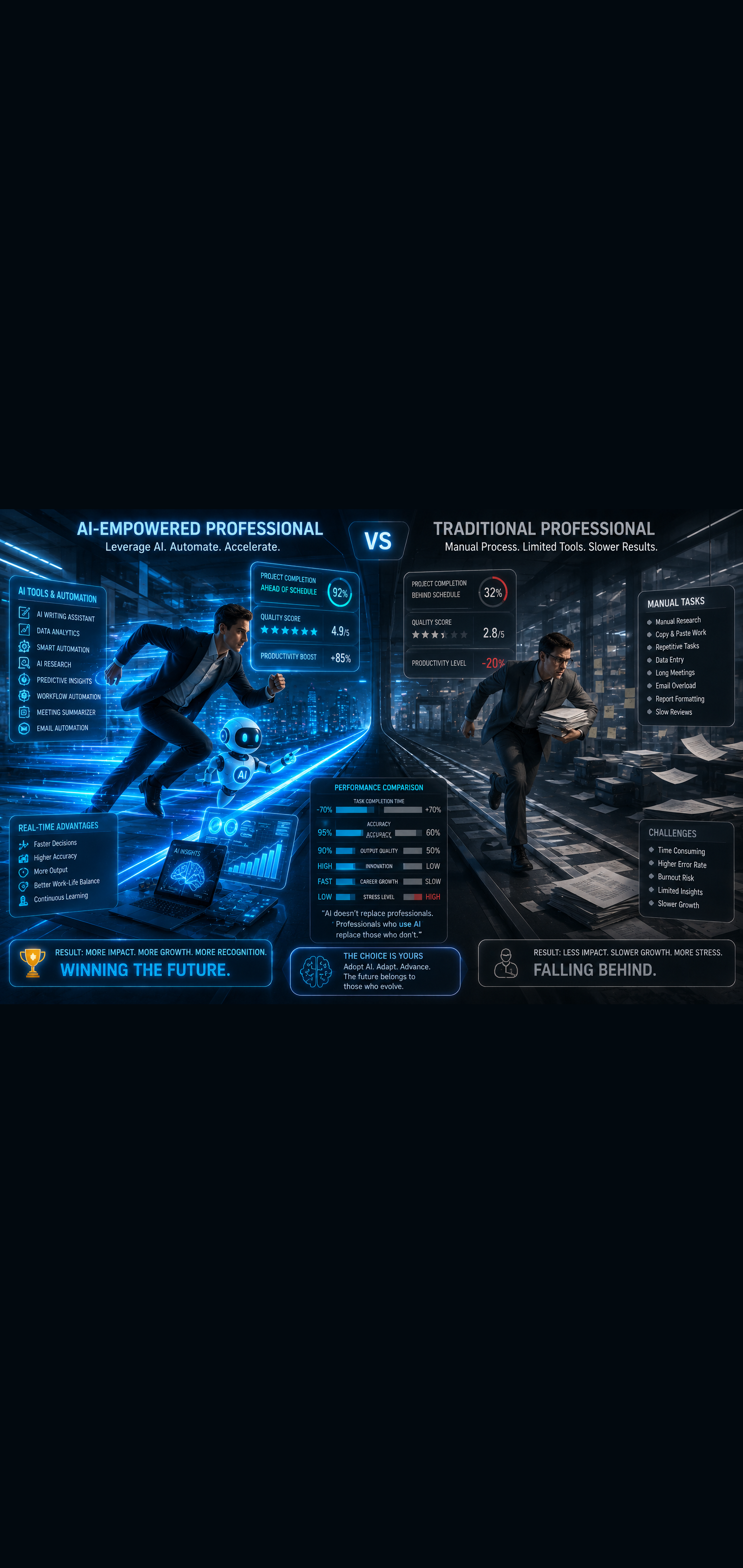
The workplace is splitting into two groups. On one side are professionals who have figured out how to use AI in their daily work — they are faster, sharper, and increasingly hard to compete with. On the other side are those still working the same way they did three years ago, wondering why everything feels harder and slower.
This guide is for the professional who wants to be firmly in the first group.
AI for working professionals is not about replacing your expertise or becoming a tech wizard. It is about making smarter use of the hours you already have, delivering better results, and positioning yourself as someone who operates at a higher level. Here is how to do it practically, starting today.
Why Every Professional Needs an AI Strategy Now
AI adoption in the workplace is no longer optional. According to research from McKinsey, organizations integrating AI into workflows are seeing significant productivity gains across knowledge work functions — and they are expecting their people to keep up.
The professionals who thrive in this environment will not be those who know the most. They will be those who can think clearly, apply judgment well, and use AI to execute faster than anyone else in the room.
If you do not have a personal AI strategy yet, you are already behind. The good news is that catching up takes days, not years.
Step 1: Audit How You Currently Spend Your Time
Before adding any AI tool to your workflow, spend 30 minutes doing an honest audit of your week. List everything you do regularly and sort it into two buckets:
High-value work — Tasks that require your judgment, relationships, expertise, and strategic thinking. This is where you are irreplaceable.
Low-value work — Repetitive tasks, formatting, summarizing, drafting routine communications, data entry, research gathering. This is where AI saves you hours.
Most professionals are shocked to discover how much of their week falls into the second bucket. That is your opportunity. Every hour you reclaim from low-value work is an hour you can reinvest into the high-value work that actually advances your career.
AI for Working Professionals: Core Use Cases by Function
Regardless of your industry or role, AI delivers consistent value in a handful of core professional functions. Master these and you will feel the difference immediately.
Communication and Writing
Writing is one of the biggest time drains for most professionals. Emails, reports, proposals, presentations, performance reviews — it adds up to hours every week.
Use AI to:
- Draft emails and messages from a few bullet points
- Rewrite drafts to match the tone and audience (formal for executives, direct for teammates)
- Summarize long email threads before you reply
- Turn rough notes into polished reports or proposals
- Write first drafts of presentations that you then refine with your own insights
The goal is not to let AI write for you. It is to eliminate the blank page problem and cut editing time in half. Your ideas and judgment stay central — AI handles the heavy lifting of getting words on the page.
Research and Information Processing
Professionals spend enormous amounts of time gathering and processing information. AI compresses that cycle dramatically.
Use AI to:
- Summarize long documents, articles, or reports in minutes
- Brief yourself on an unfamiliar topic before a meeting or client call
- Analyze multiple sources and synthesize key themes
- Generate a list of smart questions to ask before a negotiation or decision
Paste a document into ChatGPT and ask: "Summarize the five most important points in this document and flag anything I should pay close attention to." What used to take an hour now takes five minutes.
Meeting Preparation and Follow-Up
Meetings are where professional reputations are built or quietly damaged. AI helps you show up sharper and follow up faster.
Before a meeting, use AI to:
- Research the people, companies, or topics on the agenda
- Prepare sharp, well-framed questions and talking points
- Anticipate objections or challenges and prepare responses
After a meeting, use AI to:
- Turn your rough notes into a clean summary with action items
- Draft follow-up emails while the conversation is still fresh
- Build a concise brief for stakeholders who were not present
Showing up prepared and following up quickly and clearly is one of the most visible professional habits you can build.
Problem Solving and Decision Making
AI is a surprisingly powerful thinking partner when you are working through a complex problem or decision.
Try this approach: Describe your situation to ChatGPT in detail, including the context, the constraints, and what you have already considered. Then ask it to:
- Identify factors you might be overlooking
- Play devil's advocate against your current plan
- Outline three different approaches and their trade-offs
- Ask you the clarifying questions a good advisor would ask
You are not outsourcing the decision. You are stress-testing your thinking before you commit. That habit alone will make you a noticeably sharper professional.
Step 2: Build Your Personal AI Toolkit
You do not need ten AI tools. You need two or three that work together and cover your main use cases. Here is a practical starting point for most professionals.
For Thinking and Writing: ChatGPT or Claude
These are your primary AI thinking partners. Use them for drafting, summarizing, brainstorming, research, and problem solving. Both are excellent — experiment with each and pick the one that fits your working style.
ChatGPT tends to be strong for structured outputs, code, and task execution. Claude tends to excel at nuanced analysis, longer documents, and thoughtful reasoning. Many professionals use both depending on the task.
For Workplace Productivity: Microsoft Copilot or Google Gemini
If your organization uses Microsoft 365 or Google Workspace, these native AI integrations are worth learning immediately. They work directly inside the tools you already use daily.
Microsoft Copilot can draft emails in Outlook, summarize meetings in Teams, generate slide content in PowerPoint, and analyze data in Excel. Google Gemini does similar work across Gmail, Docs, Sheets, and Meet.
Spending a few hours getting comfortable with these tools inside your existing workflow delivers immediate, practical returns.
For Research: Perplexity AI
When you need current, sourced information rather than generated responses, Perplexity AI delivers search results with citations in a conversational format. It is particularly useful for competitive research, industry trends, and fact-checking before you commit to a position in a presentation or report.
Step 3: Develop AI Habits That Compound Over Time
The professionals who get the most from AI are not those with the most tools. They are those with the most consistent habits. Here are the daily and weekly practices that compound into a serious career advantage.
The Morning Brief Habit
Start each workday with a 10-minute AI session. Review your priorities for the day, identify the two or three most important tasks, and use AI to prepare for anything complex on your agenda.
Ask ChatGPT: "Here are my three priorities today: [list them]. What should I think through or prepare for each one? Flag any potential complications I should anticipate."
This habit alone shifts you from reactive to intentional every single day.
The Draft First Habit
Any time you need to write something significant — a proposal, a difficult email, a performance review, a project brief — open AI first and draft before you type a single word yourself.
Give AI the context and key points, get a draft, then edit it to reflect your voice and judgment. You will consistently produce better written work in half the time.
The Weekly Learning Loop
Dedicate 20 to 30 minutes each week to learning one new AI capability relevant to your role. This might be a new prompt technique, a feature in Copilot you have not used, or a new tool that solves a specific problem you face regularly.
Stacked over 12 months, that is 50 new capabilities added to your professional toolkit. The compounding effect on your productivity and career trajectory is significant.
Step 4: Navigate AI at Work Professionally
Using AI at work comes with responsibilities. Here is how to do it with integrity and professionalism.
Know Your Organization's Policies
Many companies now have formal AI usage policies, particularly around data privacy and confidentiality. Before pasting client data, proprietary information, or sensitive internal documents into any AI tool, understand what your organization permits and what it does not.
When in doubt, use anonymized or generalized versions of information to get AI assistance without risking compliance issues.
Always Review Before You Send
AI output requires your judgment before it goes anywhere. Errors, outdated information, off-brand tone, or factual inaccuracies can damage your credibility quickly if you send AI-generated content without careful review.
The professional standard is simple: AI drafts, you approve. Your name is on everything you send.
Be Transparent When It Matters
In most cases, using AI to work faster and better is simply good professional practice. In contexts where it matters — academic work, creative briefs with specific authorship requirements, or client deliverables with explicit standards — be clear about how AI was used.
Transparency builds trust. Trust builds careers.
Step 5: Position Yourself as an AI-Savvy Leader
Beyond using AI for your own productivity, there is a significant career opportunity in being the person who helps your team or organization use it better.
Share What Works
When you find an AI workflow that saves time or improves quality, share it with your team. Write a quick internal post, bring it up in a team meeting, or build a short how-to guide. Being a source of practical knowledge elevates your professional profile.
Volunteer for AI-Related Initiatives
Most organizations are actively trying to figure out how to integrate AI into their operations. Volunteering for these projects, pilots, or working groups puts you in front of senior leadership and signals that you are forward-thinking.
Mentor Others in Your Network
Helping colleagues, junior staff, or your professional network navigate AI tools builds your reputation as a generous expert. That kind of professional goodwill compounds in ways that are difficult to measure but impossible to ignore.
The Mindset Shift That Makes Everything Work
The professionals who struggle with AI adoption often approach it with the wrong question. They ask: "Will AI replace me?" The more useful question is: "What could I accomplish if I had a brilliant, tireless assistant available around the clock?"
AI for working professionals is fundamentally about leverage. It multiplies the output of your existing expertise, judgment, and relationships. It does not replace those things — it amplifies them.
The professionals who internalize this mindset early will spend the next decade building extraordinary careers while others spend it worrying about being left behind.
Conclusion: Your Career Upgrade Starts Today
You do not need to overhaul everything at once. Start with one use case from this guide. Use AI to draft your next report, prepare for your next important meeting, or build a learning plan for a skill you have been meaning to develop.
Do that consistently for 30 days and you will not recognize how differently you are working — or how much further ahead you feel.
AI for working professionals is not a future trend. It is a present reality, and the professionals building fluency right now are creating advantages that will be very hard to close later.
Your career upgrade does not require a new degree, a job change, or a budget. It requires a decision to start, and the habits to keep going.
Want more insights like this? Subscribe to the AI Success Forum newsletter.