
Best AI Tools for YouTube Creators
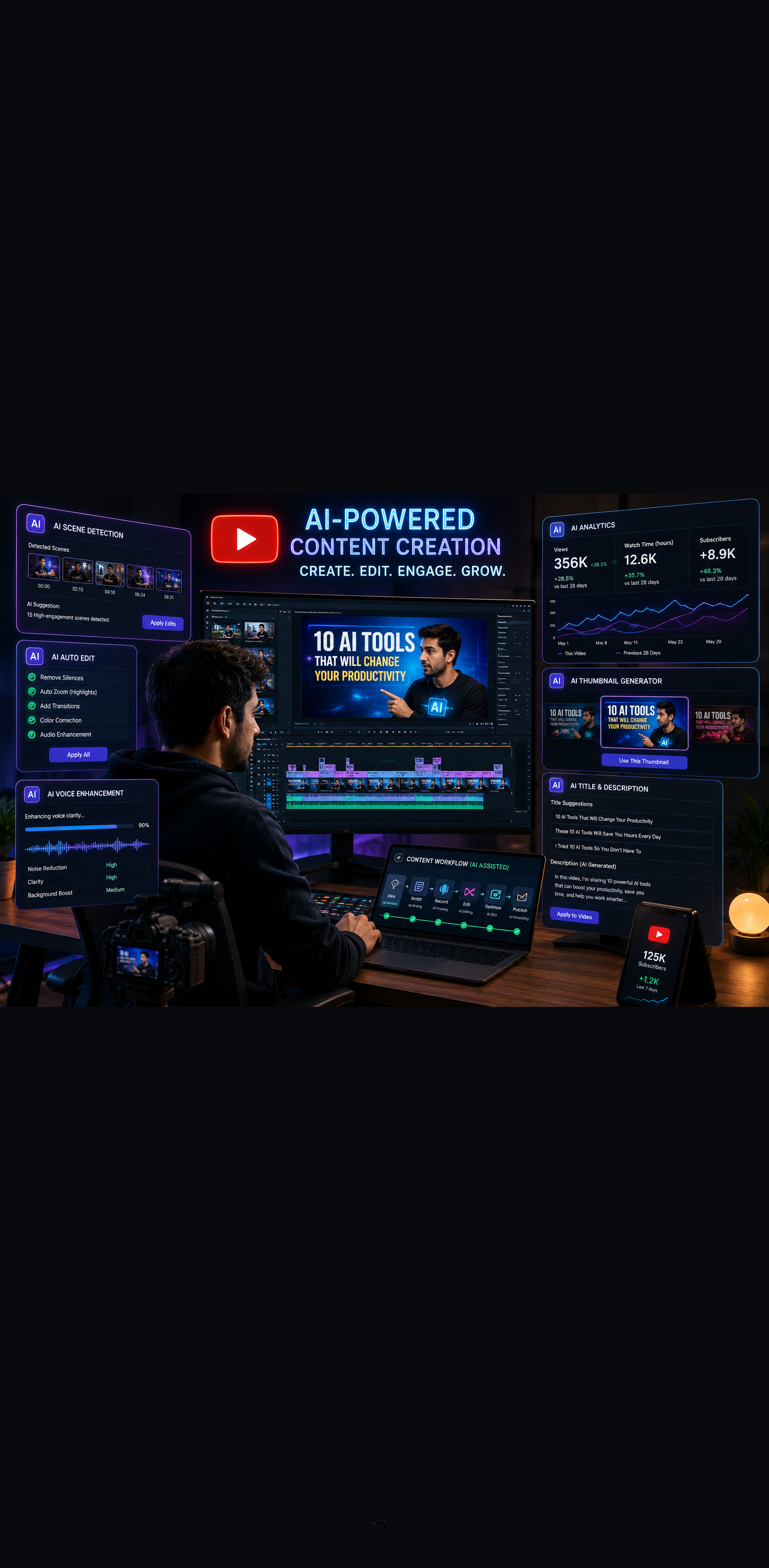
Growing a YouTube channel in 2026 is more competitive than ever. But it is also more achievable than ever, because the best AI tools for YouTube creators have fundamentally changed what a solo creator or small team can produce.
Scripts, video editing, thumbnail design, SEO optimization, voiceovers, and even full video generation are all areas where AI now delivers real, measurable results. If you are still doing all of this manually, you are working harder than you need to.
This guide breaks down the top AI tools by category so you can build a smarter YouTube workflow starting today.
Why YouTube Creators Need AI Tools in 2026
The average successful YouTube channel publishes two to four videos per week. Each video involves scripting, recording, editing, thumbnail creation, SEO optimization, and promotion. For a solo creator, that workload is genuinely unsustainable without help.
AI tools do not replace the creator. They eliminate the time-consuming production work that has nothing to do with your creativity or expertise. The channels growing fastest right now are leaning hard into AI-assisted production while keeping their authentic voice front and center.
The result is more content, better quality, and faster growth without hiring a full production team.
Best AI Tools for YouTube Creators
1. Descript
Descript is one of the most transformative tools a YouTube creator can add to their workflow. It turns your video editing process into something that feels like editing a text document.
Best for: Creators who want to edit videos faster without learning complex editing software.
Key features:
- Edit video by editing the transcript text
- Automatically remove filler words like "um" and "uh"
- Overdub feature to fix audio mistakes without re-recording
- Screen recording and publishing built in
- Automatic transcription with high accuracy
The text-based editing alone saves hours per video. Instead of scrubbing through a timeline to find a cut point, you simply delete the words in the transcript and the video cut happens automatically. For talking-head channels, interview content, and educational videos, Descript is a genuine game changer.
2. VidIQ with AI Tools
VidIQ has been a trusted YouTube growth tool for years, and its AI features have made it one of the most valuable platforms for creators focused on channel growth and discoverability.
Best for: Creators who want data-driven decisions on topics, titles, and SEO strategy.
What the AI features cover:
- AI title and description generator optimized for search
- Daily video idea suggestions based on your niche
- Competitor analysis and keyword research
- AI coach that answers growth questions specific to your channel
- Trend alerts for topics gaining momentum in your niche
If you struggle with deciding what to make next or why your videos are not getting views, VidIQ's AI coach gives you channel-specific answers rather than generic advice. That specificity is what makes it worth the investment.
3. Runway ML
Runway ML is the go-to AI video generation and editing platform for creators who want cinematic-quality visuals without a film crew or expensive software.
Best for: Creators producing cinematic content, short films, faceless channels, and visually driven niches.
Standout capabilities:
- Text-to-video generation for B-roll and visual content
- AI background removal without a green screen
- Motion tracking and object removal
- Video-to-video style transfer
- Inpainting to remove unwanted elements from footage
For faceless YouTube channels or creators who need high-quality B-roll without stock footage subscriptions, Runway ML is one of the most powerful tools available. The text-to-video feature in particular opens up storytelling possibilities that simply did not exist two years ago.
4. ElevenLabs
Audio quality makes or breaks a YouTube video. ElevenLabs is the leading AI voice platform, and it has become essential for creators running faceless channels, adding voiceovers, or producing content in multiple languages.
Best for: Faceless YouTube channels, creators expanding to international audiences, and anyone who wants professional voiceovers without a recording studio.
Key capabilities:
- Ultra-realistic AI voice generation from text
- Voice cloning using your own voice for consistent branding
- Multilingual voiceover generation in 29-plus languages
- Emotion and pacing controls for natural-sounding delivery
- API access for automated content pipelines
The voice cloning feature is particularly powerful for creators who want to maintain their personal voice even when outsourcing script reading. Record a few minutes of audio, clone your voice, and use it to narrate future videos without recording every word yourself.
5. Canva with Magic Studio
Thumbnails are one of the highest-leverage variables in YouTube success. A better thumbnail directly increases click-through rate, which directly impacts how the algorithm distributes your video. Canva's Magic Studio brings AI design capabilities to thumbnail creation in a way that anyone can use.
Best for: Every YouTube creator regardless of design experience.
Magic Studio features for creators:
- Magic Design generates thumbnail layouts from a prompt
- Background Remover for clean subject isolation
- Magic Expand to resize and extend images
- Text effects and AI image generation built in
- Brand kit to keep consistent colors and fonts across all thumbnails
The combination of Canva's template library and Magic Studio's AI generation makes it possible to produce professional thumbnails in under ten minutes. For creators publishing multiple videos per week, that time saving adds up fast.
6. ChatGPT for Script Writing
A well-structured script is the foundation of every high-performing YouTube video. ChatGPT, especially with a well-configured custom GPT, has become the preferred scripting tool for thousands of successful creators.
Best for: All YouTube creators, from beginners building their first scripts to experienced creators speeding up production.
How creators are using it effectively:
- Generate detailed video outlines from a single topic prompt
- Write hooks that capture attention in the first 30 seconds
- Expand bullet points into full conversational scripts
- Create multiple title options for A/B testing
- Write video descriptions, chapters, and pinned comments
The key to getting great scripts from ChatGPT is giving it context. Tell it your channel niche, your audience, your tone, and the specific goal of the video. The more input you provide, the closer the first draft gets to something you can actually use.
7. Pictory AI
Pictory is built specifically for turning written content into YouTube-ready videos. If you have a blog, a newsletter, or a script, Pictory can transform it into a fully produced video with visuals, captions, and music automatically.
Best for: Bloggers expanding to YouTube, faceless channel creators, and anyone repurposing written content into video.
Core features:
- Script to video with automatic stock footage matching
- Blog post to video conversion
- Auto-captioning with customizable styles
- AI video summarization from long-form content
- Brand kit for consistent visual identity
Pictory is one of the most efficient ways to maintain both a blog and a YouTube channel simultaneously. Write the content once and let Pictory handle the video production layer. The output quality is strong enough for a professional faceless channel without additional editing.
8. TubeBuddy with AI Features
TubeBuddy sits directly inside YouTube Studio as a browser extension, which makes it one of the most frictionless tools on this list. Its AI features help with everything from tag generation to A/B testing your thumbnails and titles.
Best for: Creators who want AI assistance without leaving their YouTube workflow.
AI-powered features:
- Keyword Explorer with AI-suggested tags
- A/B testing for titles and thumbnails
- Best time to publish recommendations
- AI title generator with click-through rate predictions
- Bulk processing tools for optimizing older videos
The A/B testing feature alone makes TubeBuddy worth the subscription. Most creators guess at which thumbnail or title will perform better. TubeBuddy tests both versions with real audience data and automatically switches to the winner. That is the kind of data-driven optimization that separates growing channels from stagnant ones.
Building Your AI-Powered YouTube Production Workflow
The real power comes from connecting these tools into a repeatable system. Here is a workflow that covers the full production cycle:
Step 1: Ideation and SEO research Use VidIQ to identify trending topics and high-opportunity keywords in your niche. Validate demand before you invest production time.
Step 2: Scripting Use ChatGPT with a custom GPT trained on your channel style to generate a first draft script. Refine it with your own expertise and stories.
Step 3: Voiceover or recording Record yourself or use ElevenLabs for a polished AI voiceover. Voice cloning keeps the output sounding like you even when automated.
Step 4: Video production Use Descript for editing talking-head footage, Runway ML for generating B-roll or cinematic visuals, or Pictory for full script-to-video production.
Step 5: Thumbnail creation Build your thumbnail in Canva using Magic Studio. Create two versions for A/B testing.
Step 6: Upload and optimize Use TubeBuddy inside YouTube Studio to finalize tags, optimize your description, and schedule your A/B thumbnail test.
A channel running this workflow can produce a polished, SEO-optimized video in a fraction of the traditional production time.
What AI Cannot Do for Your Channel
AI tools handle production. They do not handle authenticity, expertise, or the unique perspective that makes viewers subscribe and come back.
Your personal stories, opinions, mistakes, and hard-won knowledge are things no AI can generate. The creators who win long-term are the ones who use AI to handle logistics while doubling down on the human elements that build real audiences.
Use these tools to work faster. Use your experience to work better.
Start Building Your AI YouTube Stack Today
You do not need every tool on this list at once. Start with the area causing the most friction in your current workflow.
Struggling with ideas and SEO? Start with VidIQ. Spending too long on editing? Add Descript. Thumbnails taking forever? Get Canva with Magic Studio. Building a faceless channel? Combine Pictory and ElevenLabs.
The best AI tools for YouTube creators are accessible, affordable, and ready to use today. The creators building the most successful channels in 2026 are not necessarily the most talented. They are the most efficient.
Pick your starting point and take the first step.
Want more insights like this? Subscribe to the AI Success Forum newsletter.